

On this page11 sections
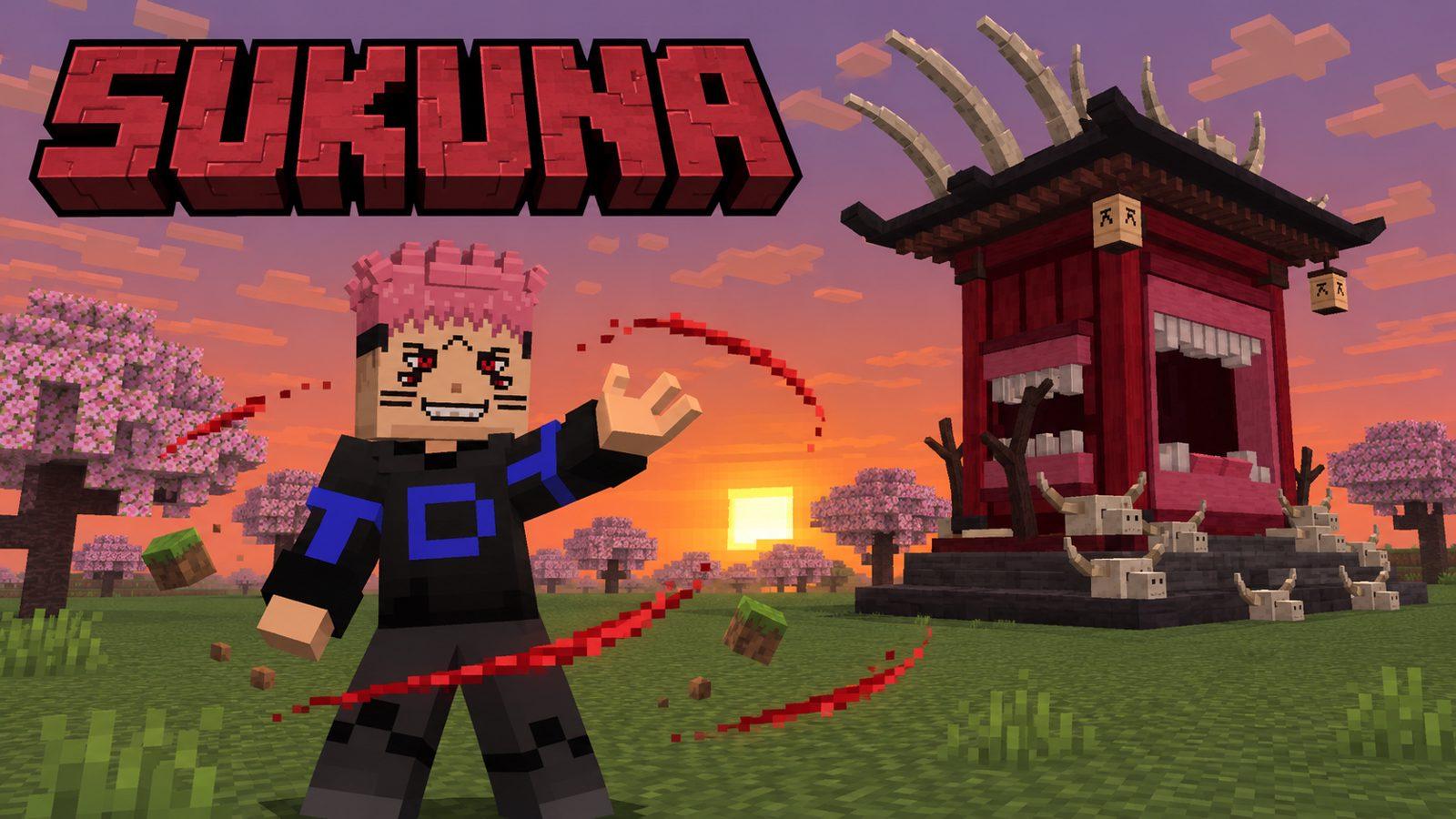
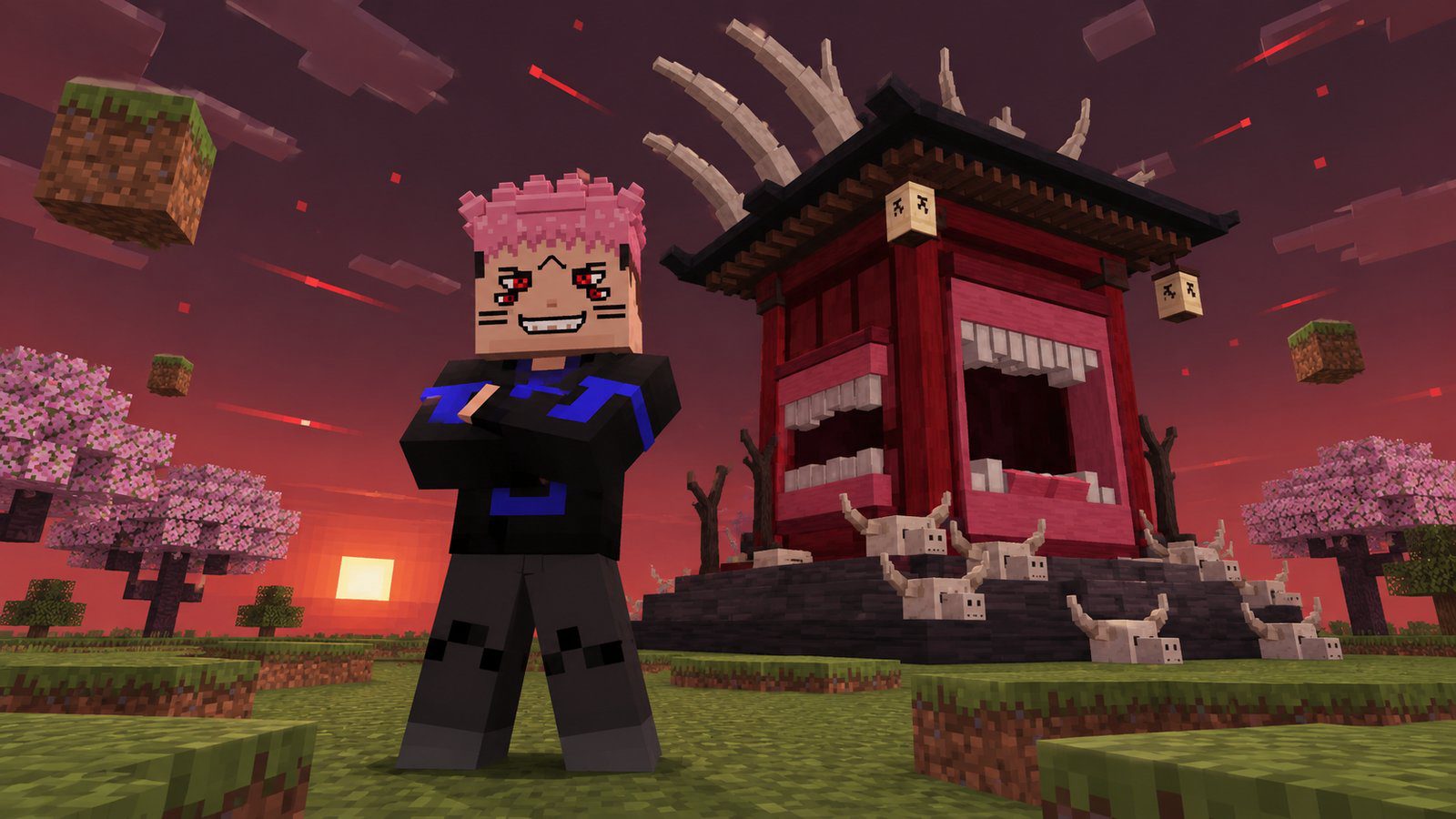
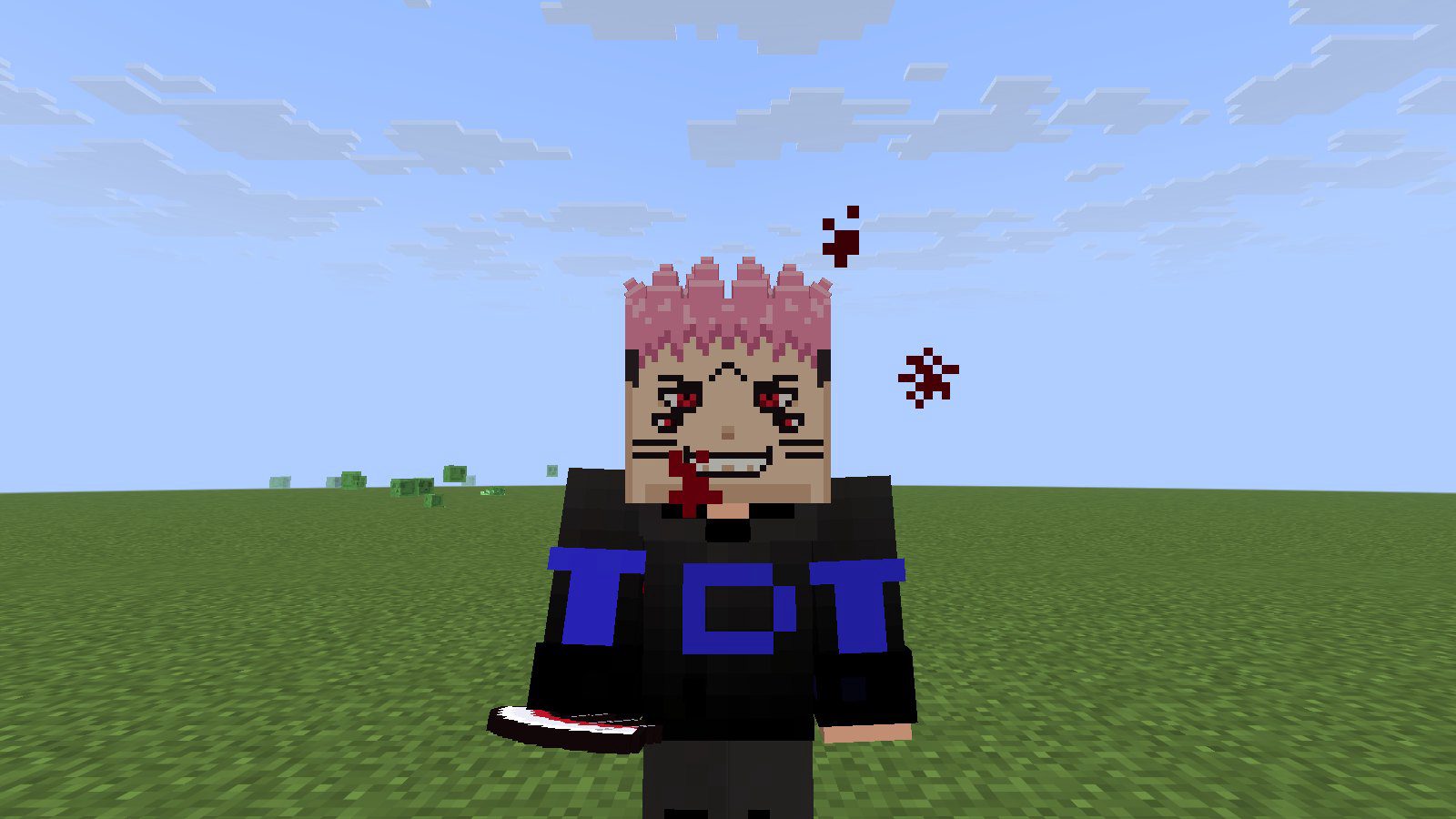
Put on the Mask of Sukuna and become Ryomen Sukuna, the King of Curses from Jujutsu Kaisen. His four red eyes and pink hair replace your face, and his whole technique comes with the mask: Dismantle, Cleave, Spiderweb, Divine Flame, the World Cutting Slash and his Domain Expansion, the Malevolent Shrine, which cuts everything around it to pieces. Take the mask off and it all leaves with it.
Version 2 beta
Version 2 is in testing. You can read everything it does below; the downloads open once testing is done.
Which edition do you play?
Java Edition: the datapack ZIP and its resource pack (1.21.11 – 26.4). No mods. The instructions and screenshots below describe the Java datapack.
Bedrock Edition: the .mcaddon add-on (Bedrock 1.21.20 and newer). Its controls and differences are in Bedrock add-on near the end of this page.
Java datapack: quick start
- Download both ZIPs. Don't extract them.
- Put the datapack in
world/datapacksand turn on the resource pack in Options → Resource Packs. - Restart the world (leave and join again).
/reloadis not enough, because the pack adds new damage types. - Craft the Mask of Sukuna, or as an operator press
Esc→ Sukuna: settings → Get the mask. - Wear the mask. The five techniques and the Malevolent Shrine appear in your inventory. Hold one and right-click.
What you get
The mask is all you need
Wear it and you become Sukuna, with every technique and the shrine in your inventory. Take it off and they disappear. Lose one, and it comes back while you wear the mask.
Cursed energy instead of cooldowns
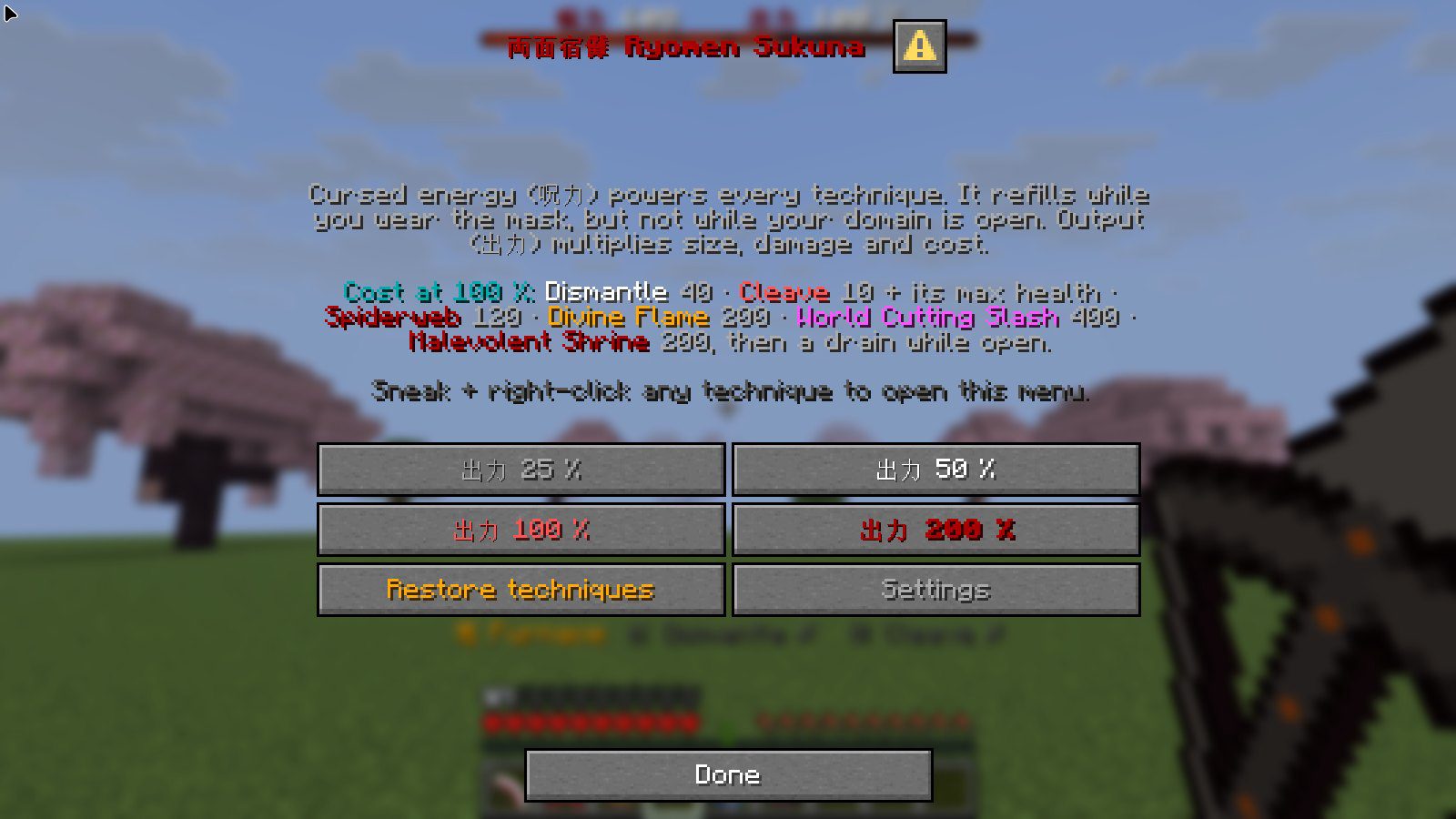
Every technique costs cursed energy (呪力) from a bar at the top of the screen. It refills quickly while you wear the mask, so you fight freely and only the big techniques make you wait.
Output from 25% to 200%
Sneak and right-click any technique to choose your output (出力). Higher output makes every cut bigger and stronger, and costs more.
Five Shrine techniques
Dismantle, Cleave, Spiderweb, Divine Flame and the World Cutting Slash, each with its own effects, sounds and, for the big ones, a chant.
A real Domain Expansion
The Malevolent Shrine rises behind you, shaking the ground, and cuts every creature and the land around it without stopping.
Safe for your base
Chests, signs, beds and every other block that stores something are never cut. Operators can turn terrain cutting off.
Becoming Sukuna
- Craft the Mask of Sukuna: 3 pink wool on top, then ender eye, wither skeleton skull, ender eye, then an ender eye in each bottom corner.
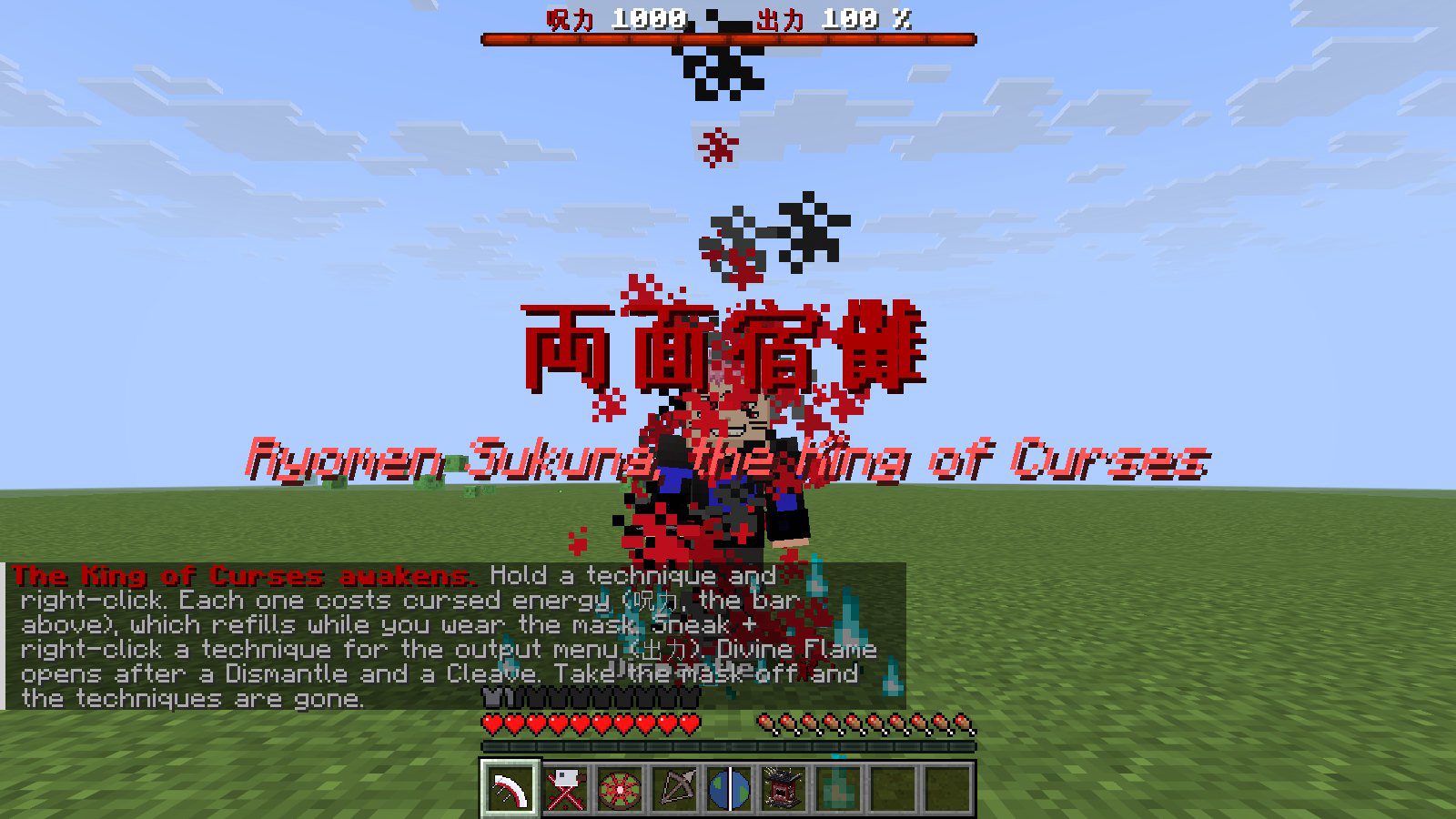
- Put it on your head. The title 両面宿儺 Ryomen Sukuna, the King of Curses shows up and he laughs.
- Dismantle, Cleave, Spiderweb, Divine Flame, the World Cutting Slash and the Malevolent Shrine appear in your inventory, and the cursed energy bar appears at the top of the screen.
- Hold a technique and right-click. Take the mask off and you are yourself again: the techniques and the bar are gone.
Cursed energy and output
The red bar at the top of the screen is your cursed energy, 1000 when full. Every technique spends some of it, and it refills by 40 a second while you wear the mask. Short of energy, a technique doesn't go off.
Sneak and right-click any technique (or open Sukuna: output in the pause menu) to choose your output: 25%, 50%, 100% (the default) or 200%. Output scales the size, the damage and the cost of everything.
The five techniques
The numbers are at 100% output. At 200% the damage and cost double and the cuts grow much larger; at 25% they are a quarter.
| Technique | What it does | Damage | Cursed energy |
|---|---|---|---|
| Dismantle 「解」 | An invisible blade, 10 blocks wide, flies 48 blocks ahead and cuts everything in its path. | 20 | 40 |
| Cleave 「捌」 | Touch range. One cut fitted to the creature's toughness: its max health + 2, so it cuts anything down in one stroke. | max health + 2 | 10 + its max health |
| Spiderweb 「蜘蛛の糸」 | You touch the ground and it splits like a spider web, 14 blocks around you, throwing everything up. | 24 | 120 |
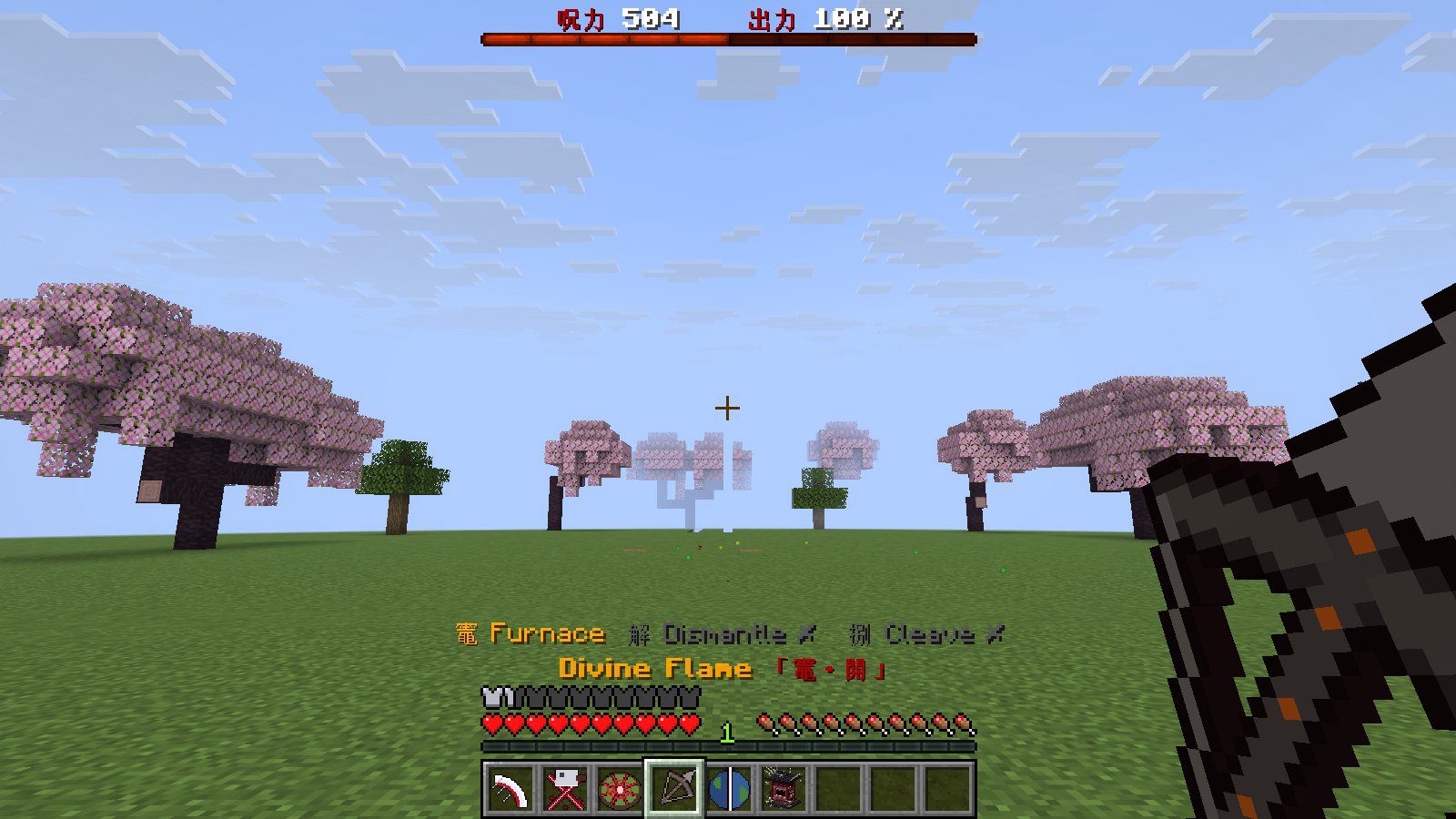
| Divine Flame 「竈・開」 | Chant 「開」 Open, draw a bow of flame and shoot a burning arrow that explodes into a crater of fire. | 60, 36 and 18 farther out | 200 |
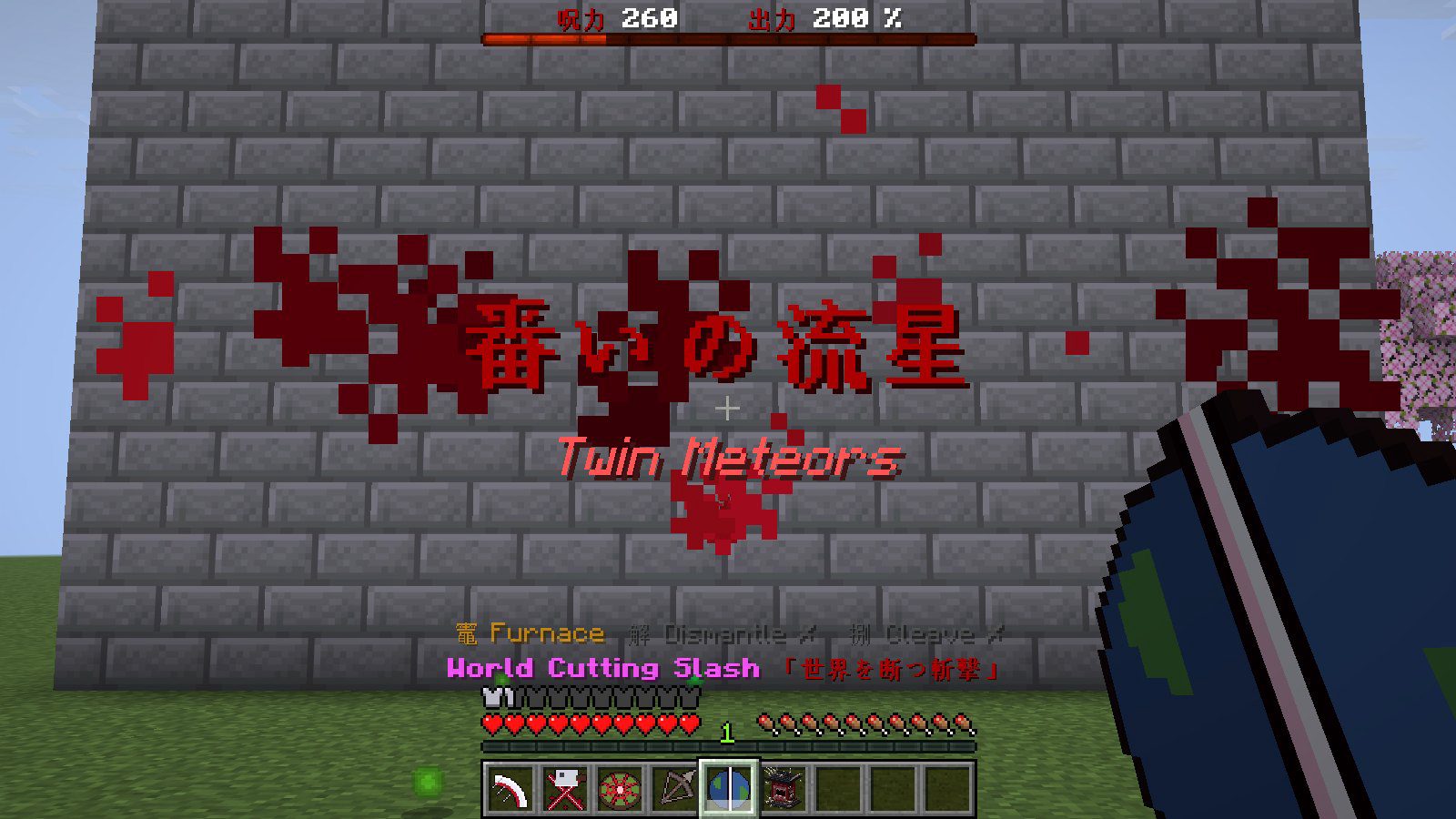
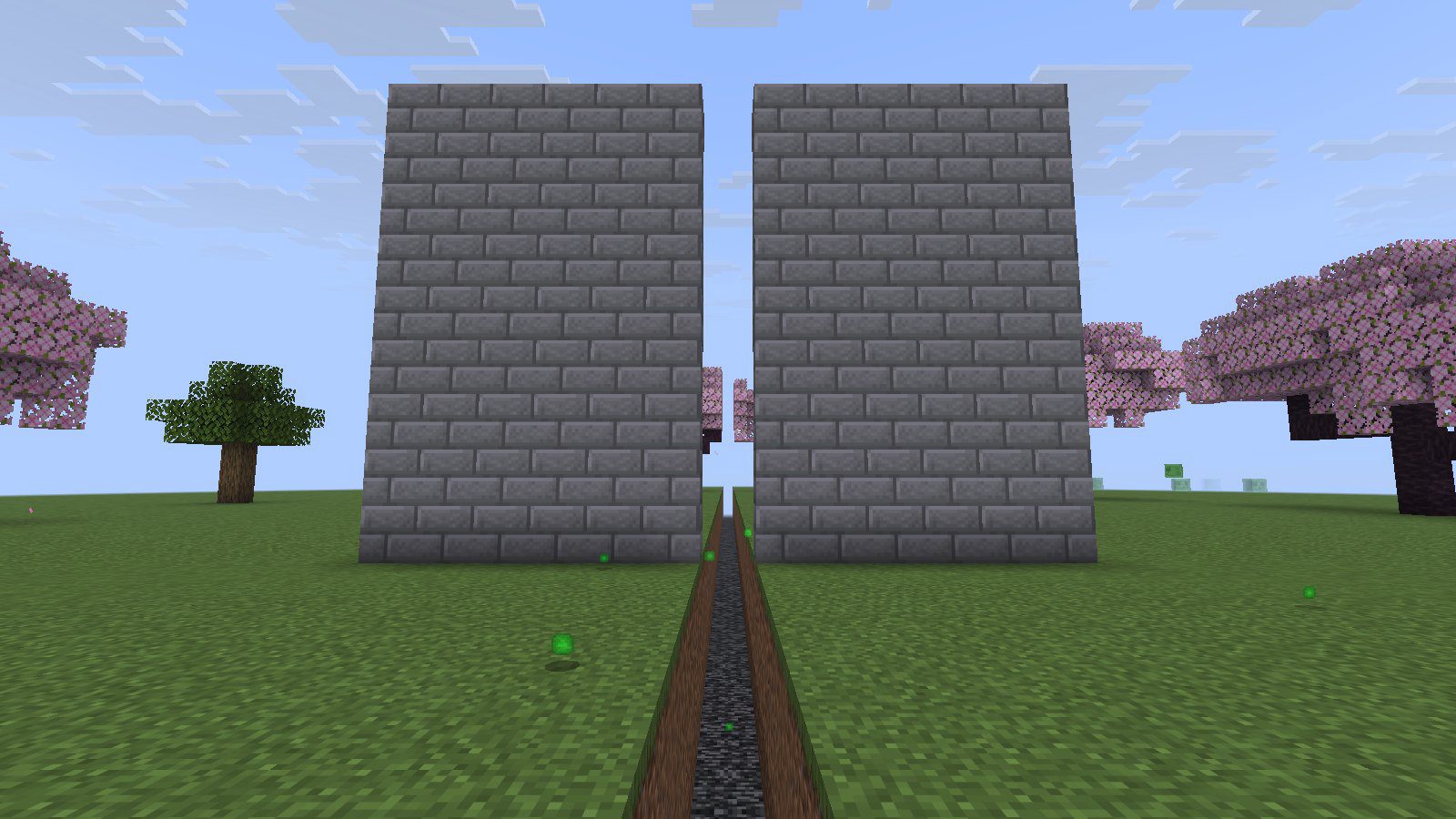
| World Cutting Slash | Chant for 2 seconds, then a cut 32 blocks tall runs 96 blocks and splits everything in its way. Armor, shields and walls don't stop it. | 100 | 400 |
Damage is in health points: 20 is ten hearts. Players are hit too, so the techniques work in PvP; you never hit yourself.
Dismantle and Cleave
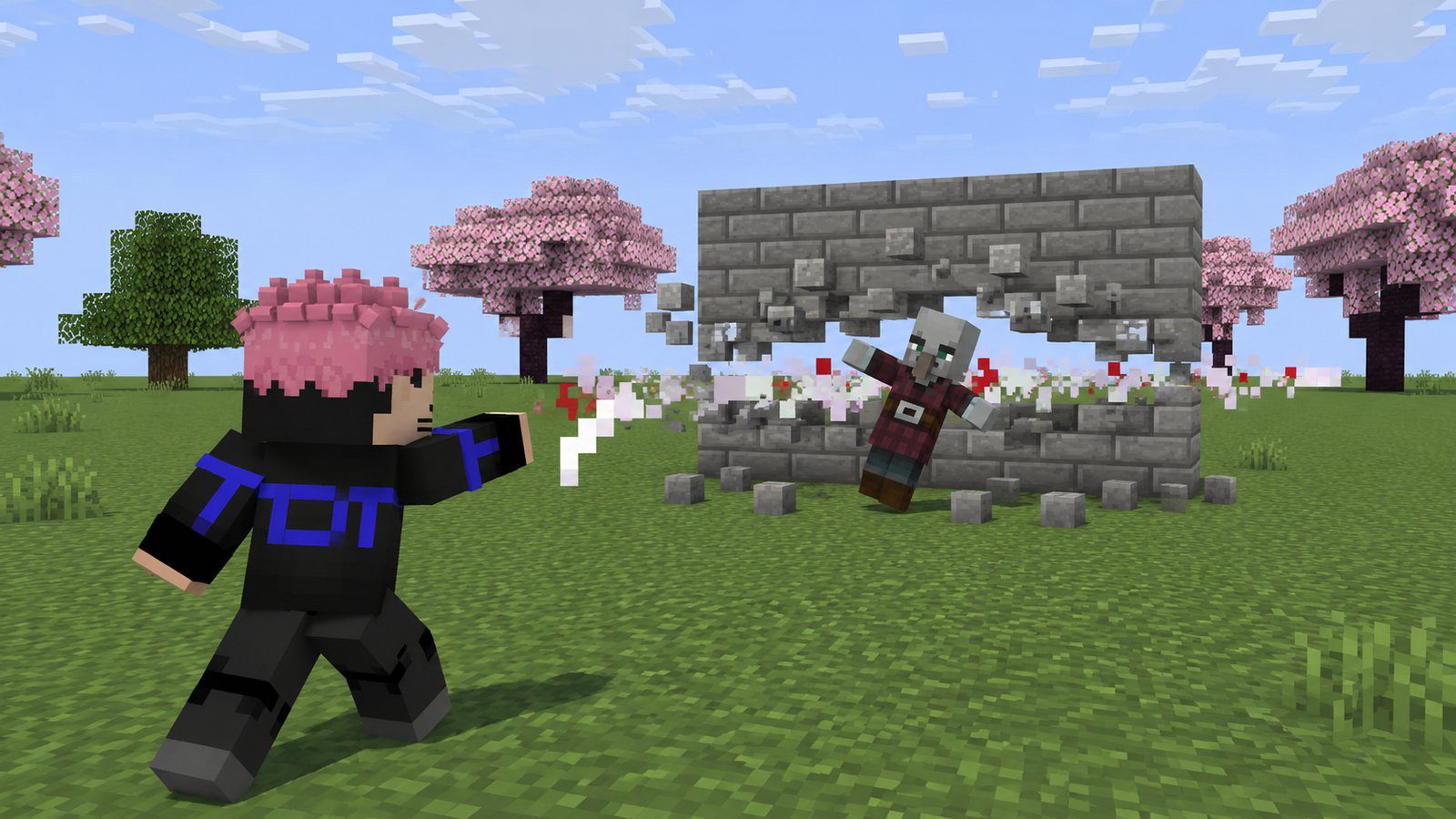
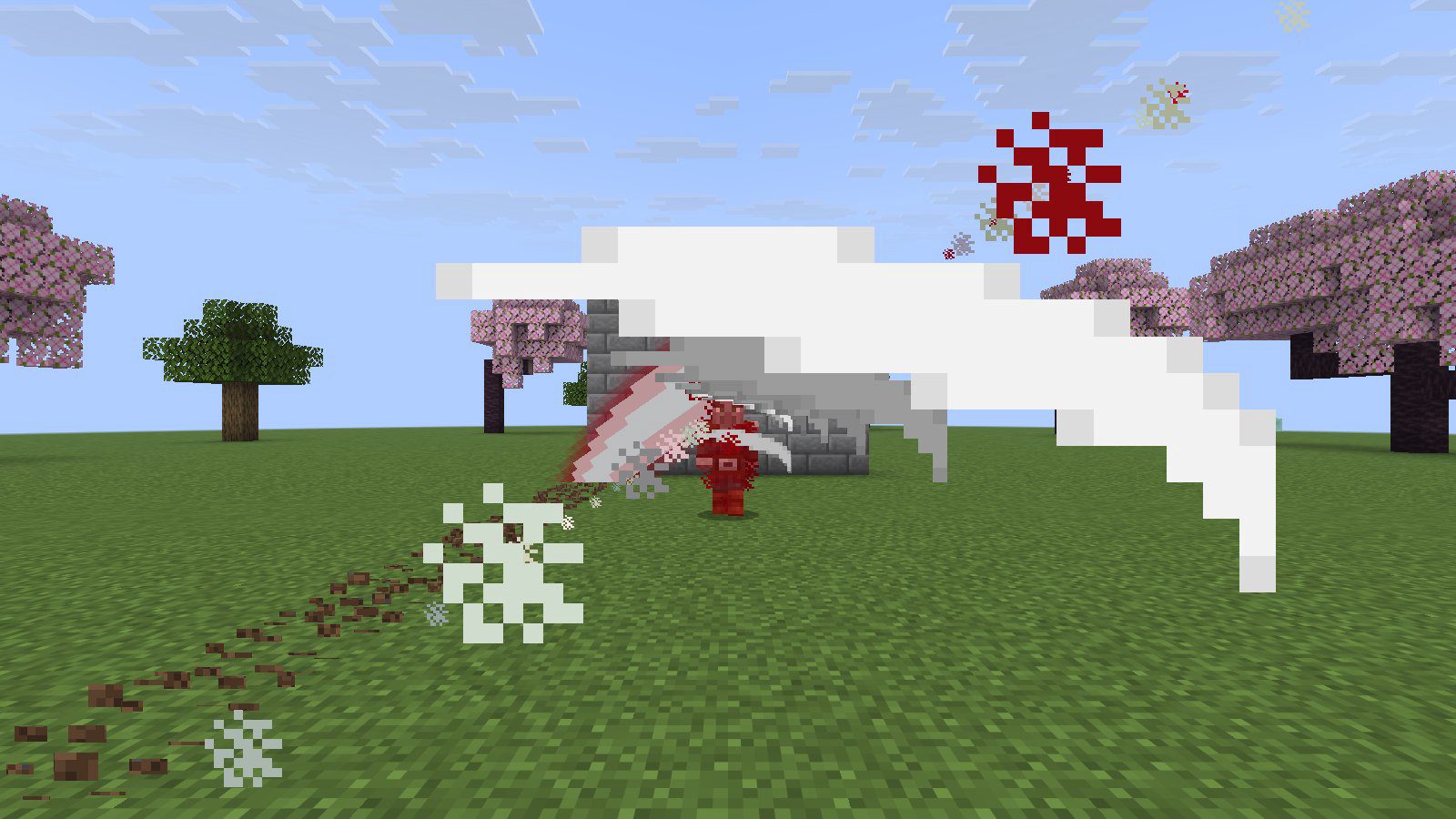
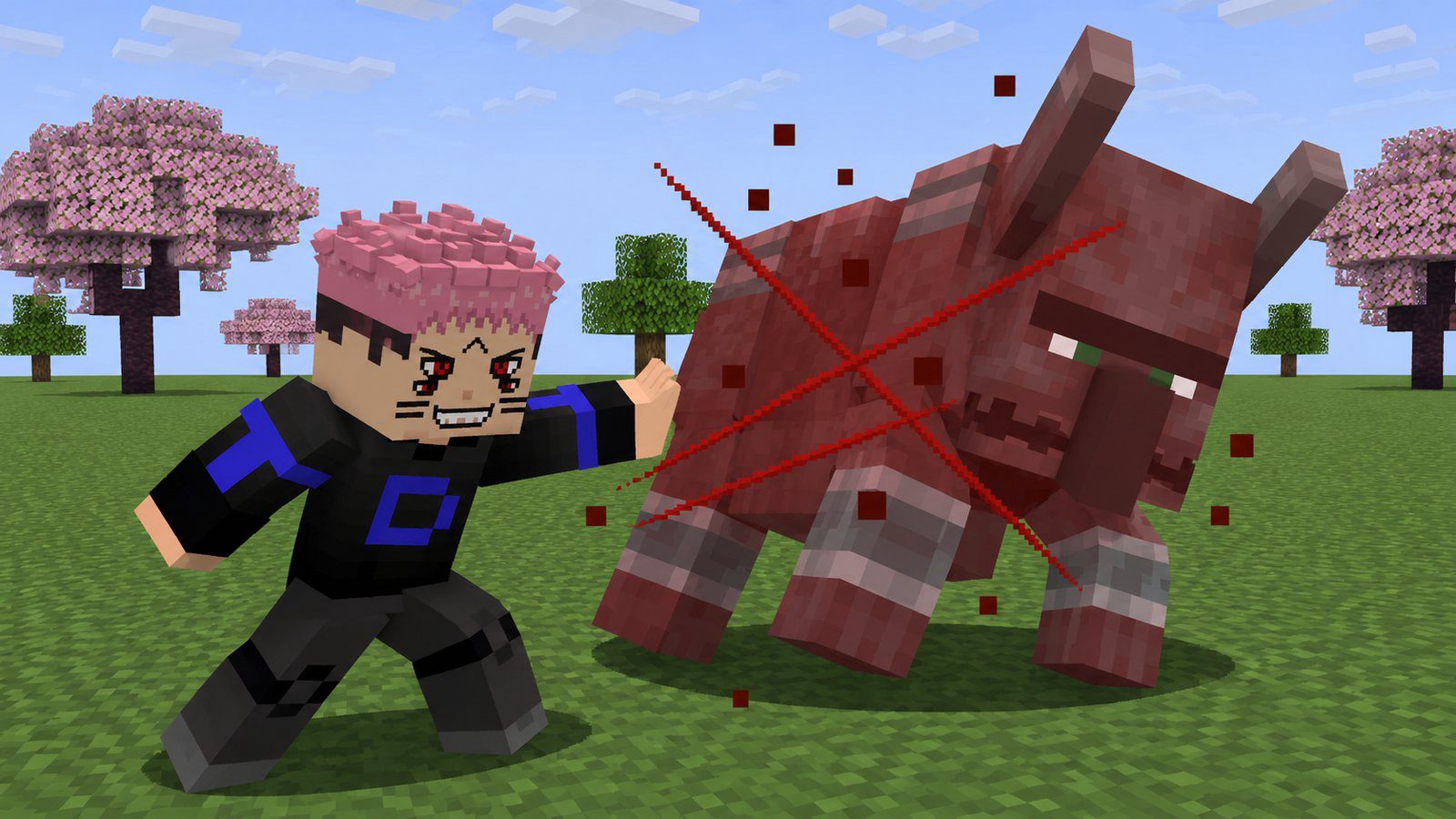
Dismantle is your ranged cut: a curved slash flies off in a random tilt and cuts a gap through whatever stands in its way. Cleave is the close one, as in the anime: you touch the creature and it is cut in one stroke fitted to its toughness. A zombie costs you little; a warden costs a lot. When your cursed energy can't pay for the whole cut, the cut is shallower and spends what you have left.
Spiderweb
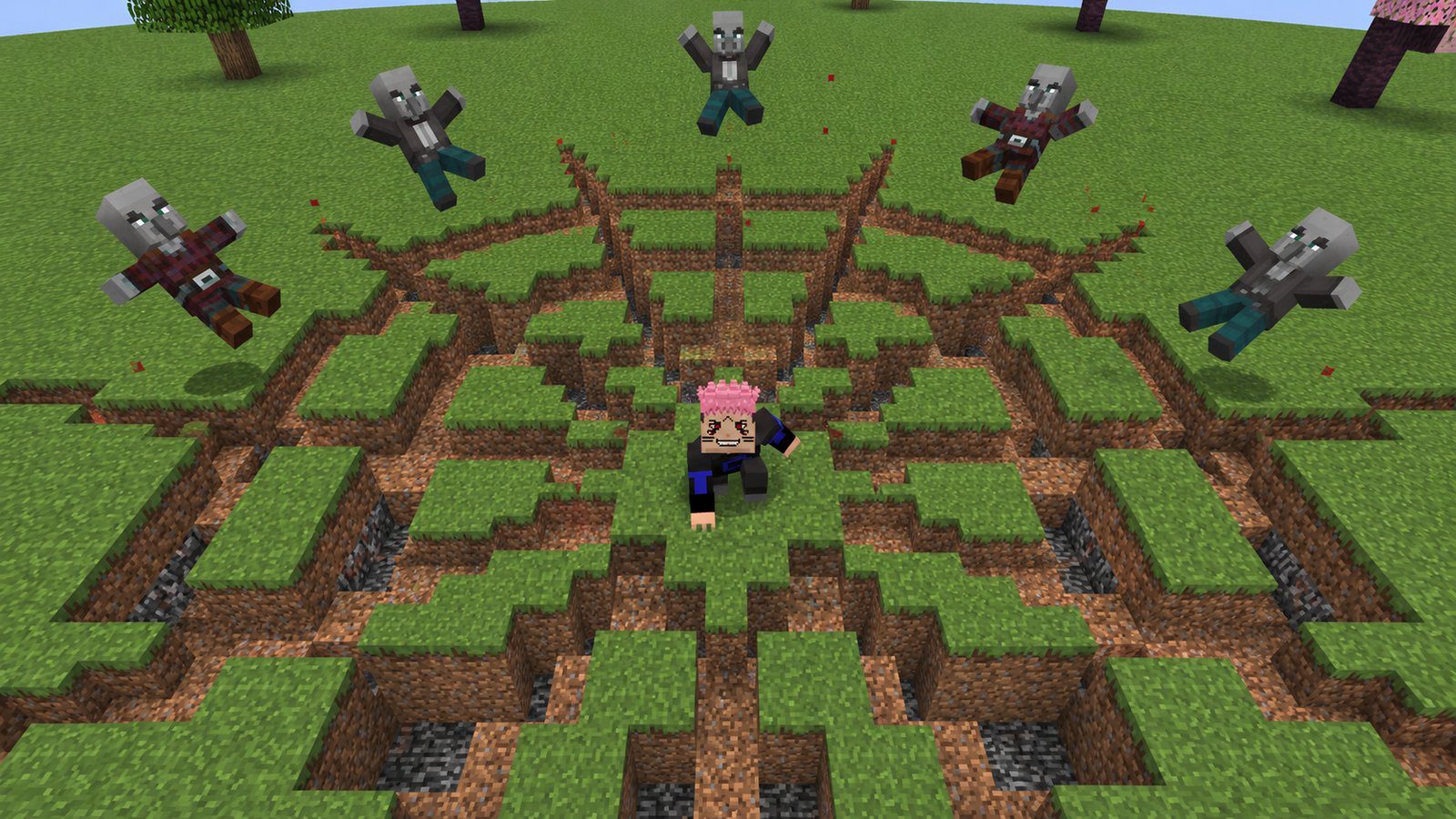
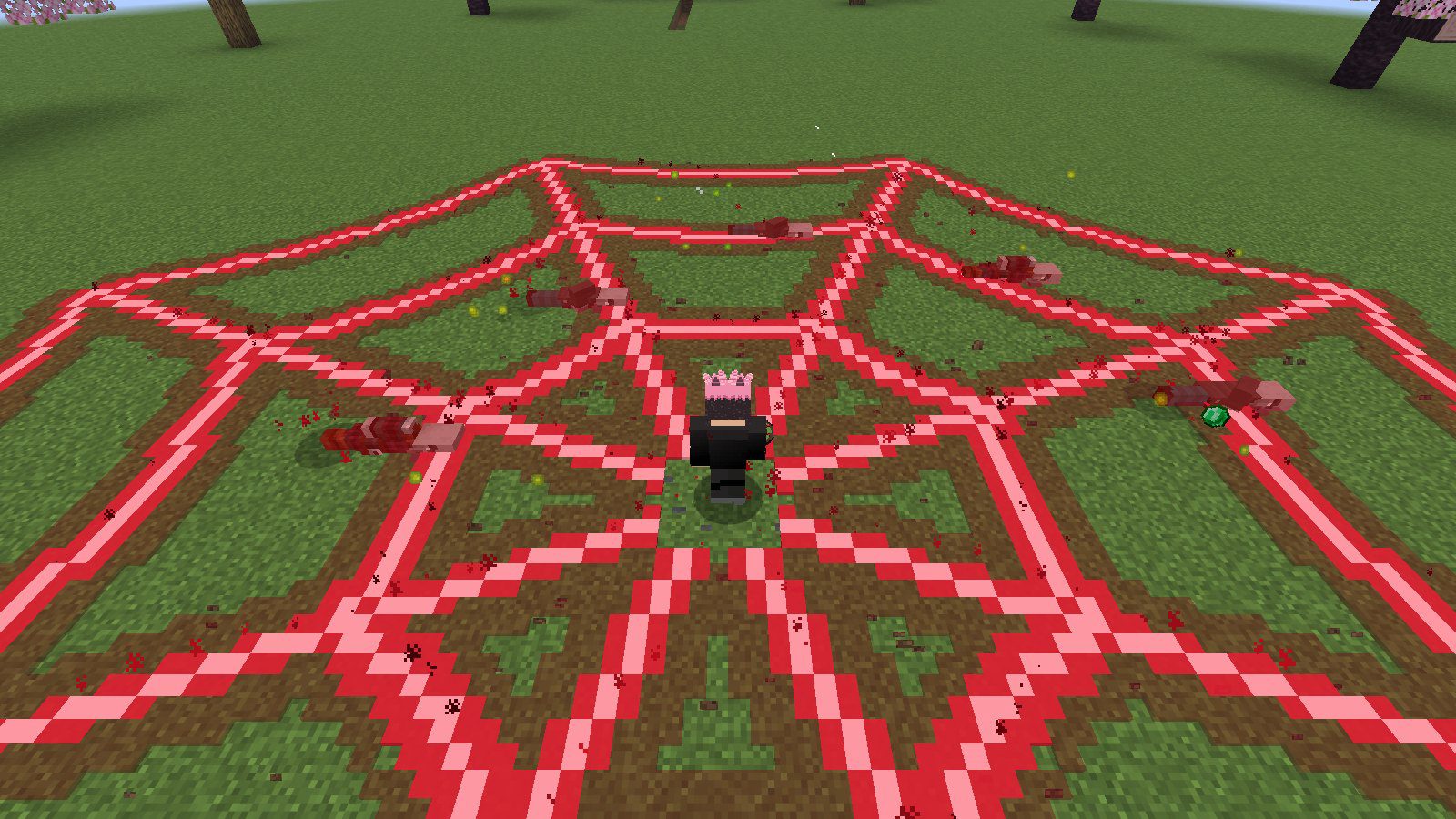
You touch the ground and it splits: eight cracks run out like spokes and three rings join them, and the creatures standing in it are cut and thrown up.
Divine Flame (Fuga)
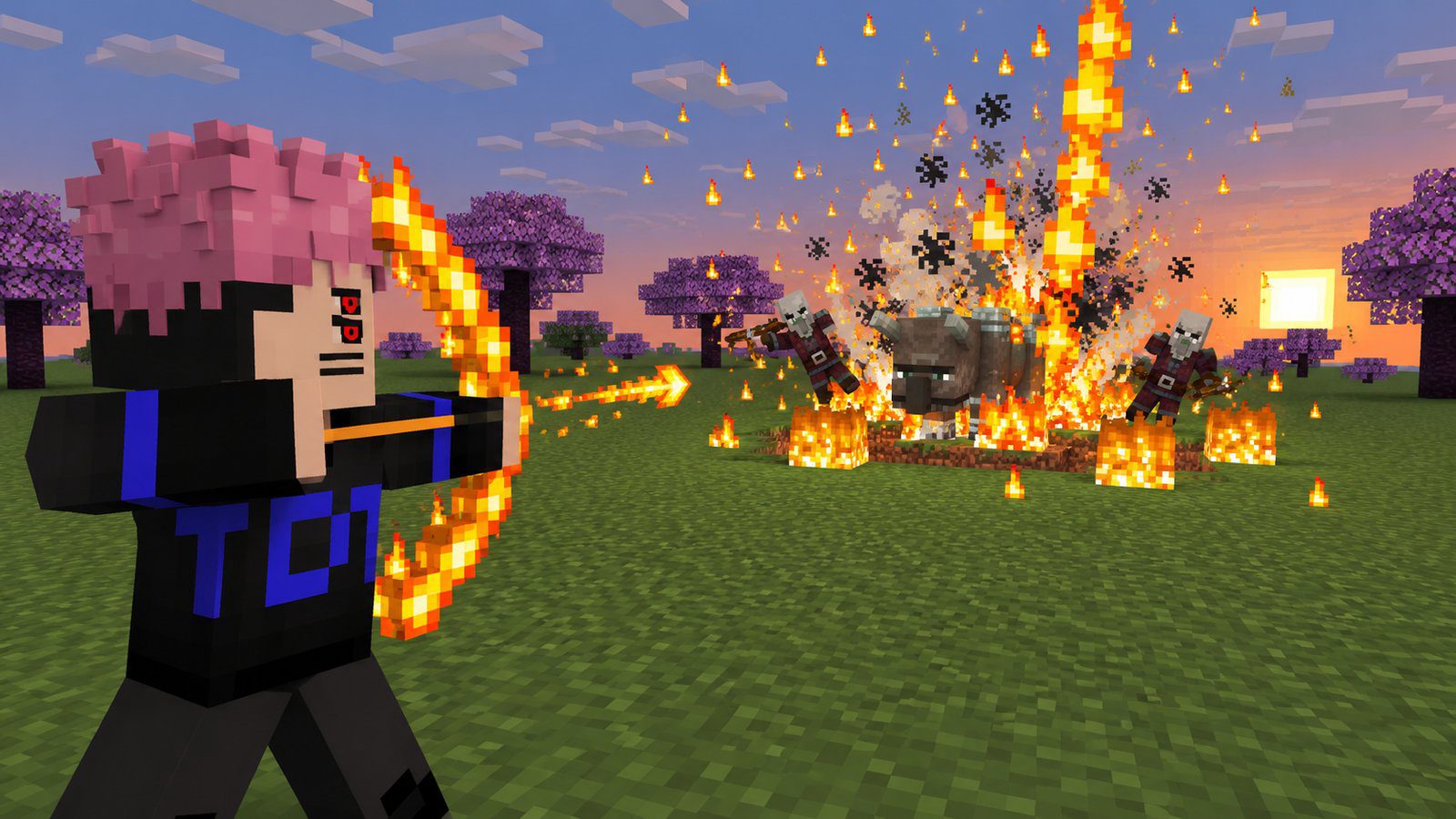
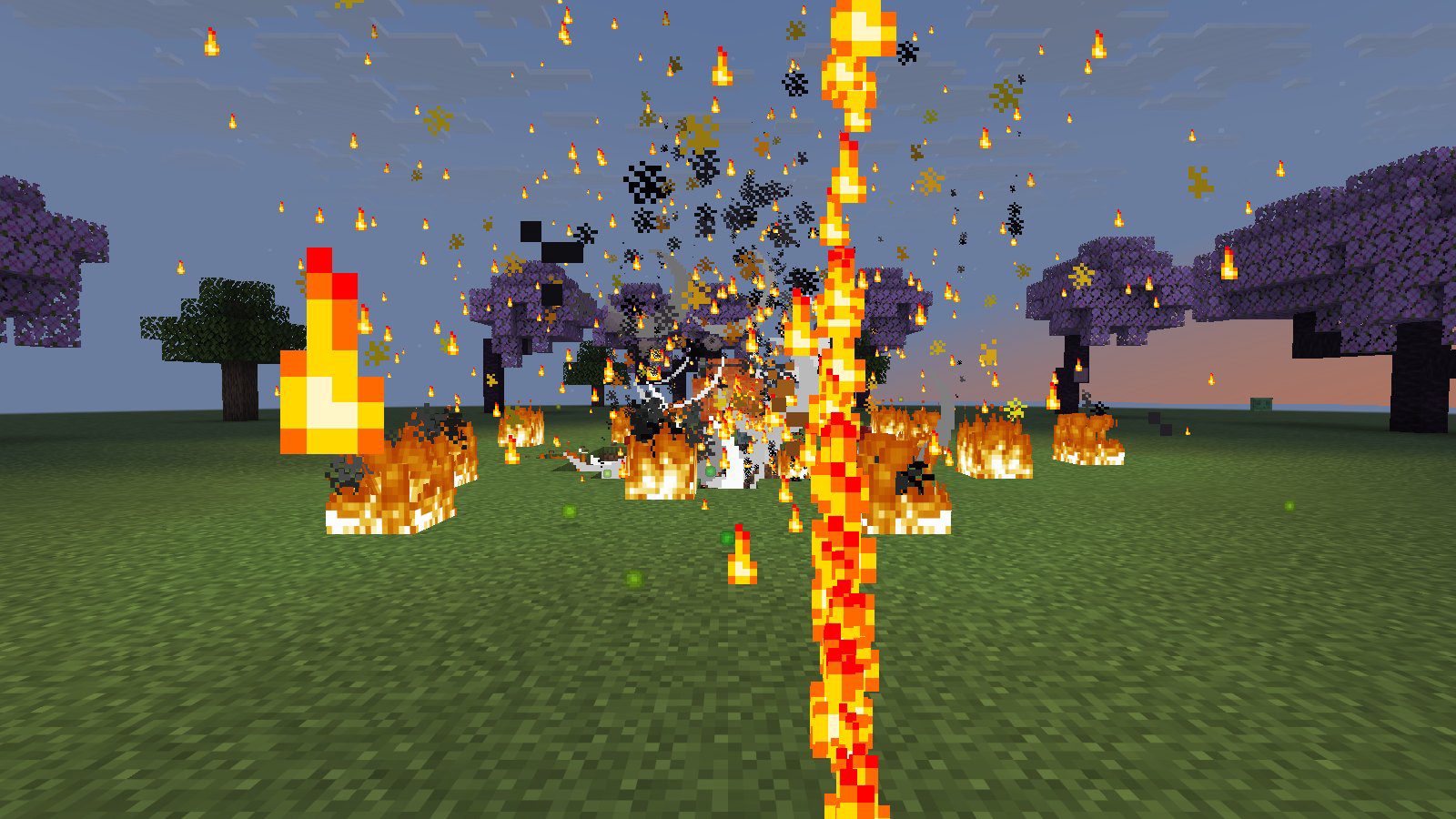
As in the anime, the flame comes after the cutting. Divine Flame starts unlit; it lights once you have used Dismantle and Cleave, and the furnace on your screen shows which one is still missing. Right-click it: you say 「開」 Open, a bow of flame forms in your hands for a second and a half (you slow down while you chant), then the arrow flies and explodes where it hits, leaving a crater on fire. The flame then goes out until the next Dismantle and Cleave.
World Cutting Slash
The finisher. Sukuna's chant takes two seconds, one verse at a time: 龍鱗 Dragon Scale, 反発 Recoil, 番いの流星 Twin Meteors, while a red line shows where the cut will run. Then the world splits: a black rift cuts straight through everything along your aim, and stays in the air for a moment after.
Malevolent Shrine: Domain Expansion
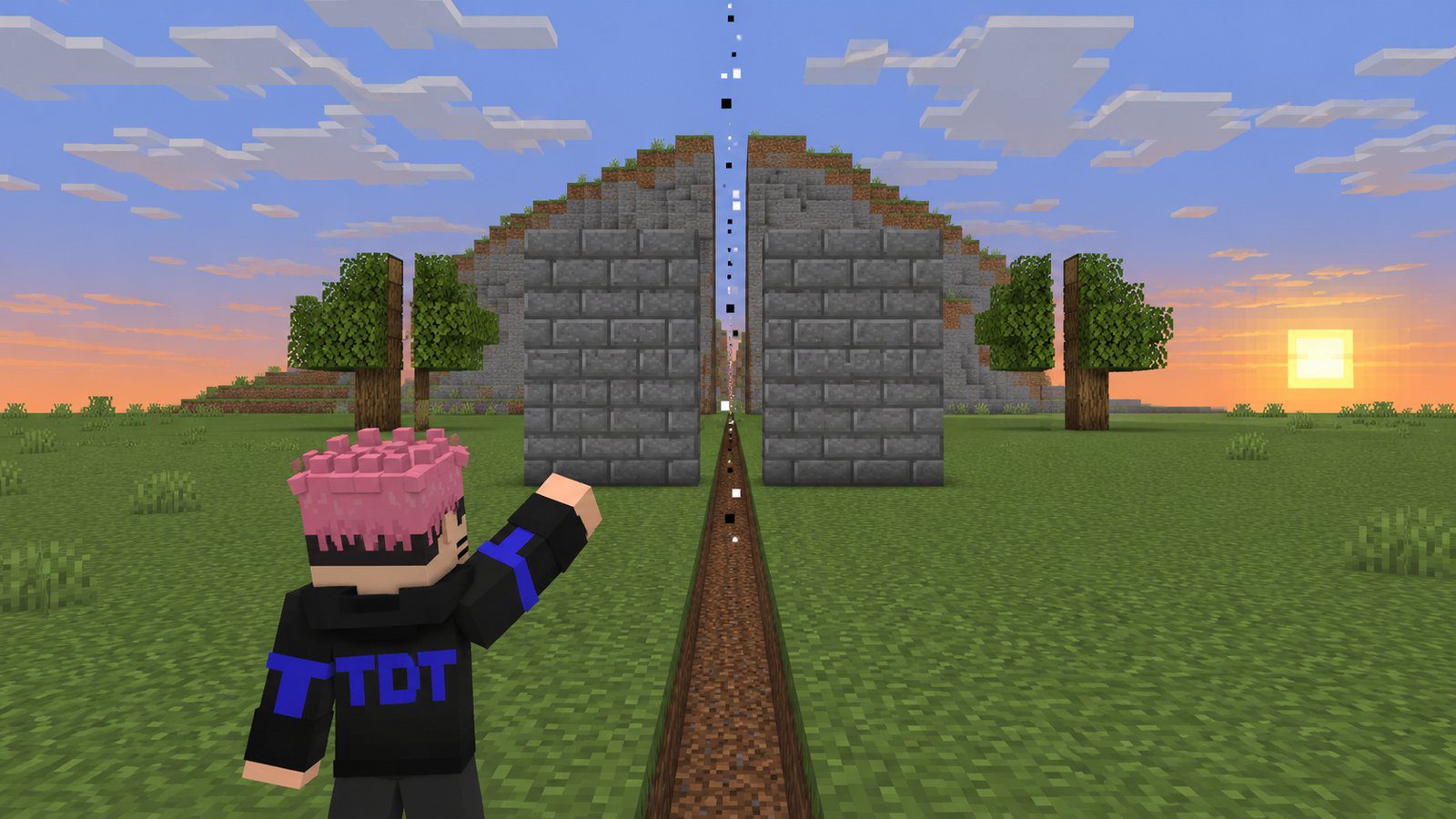
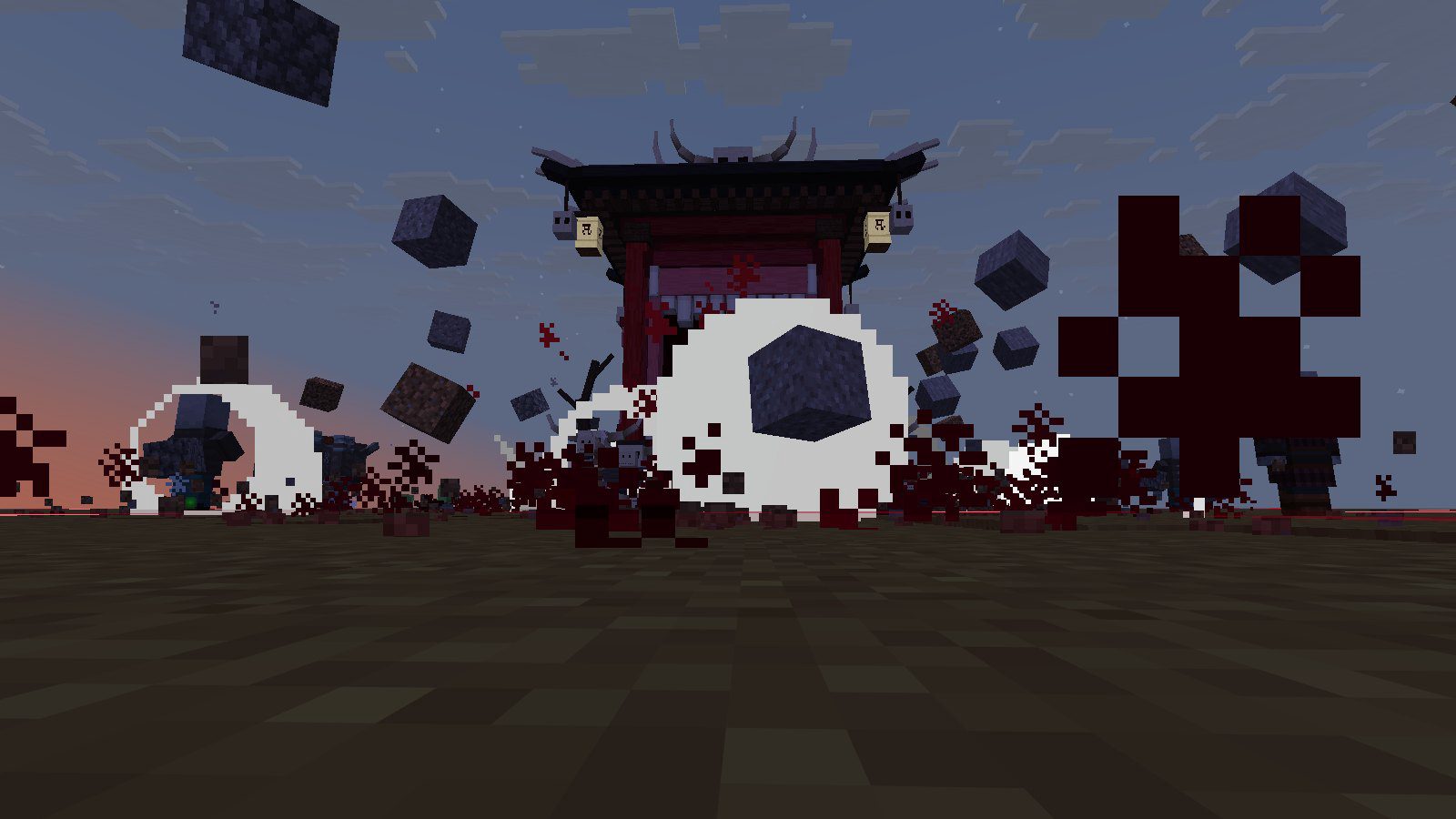
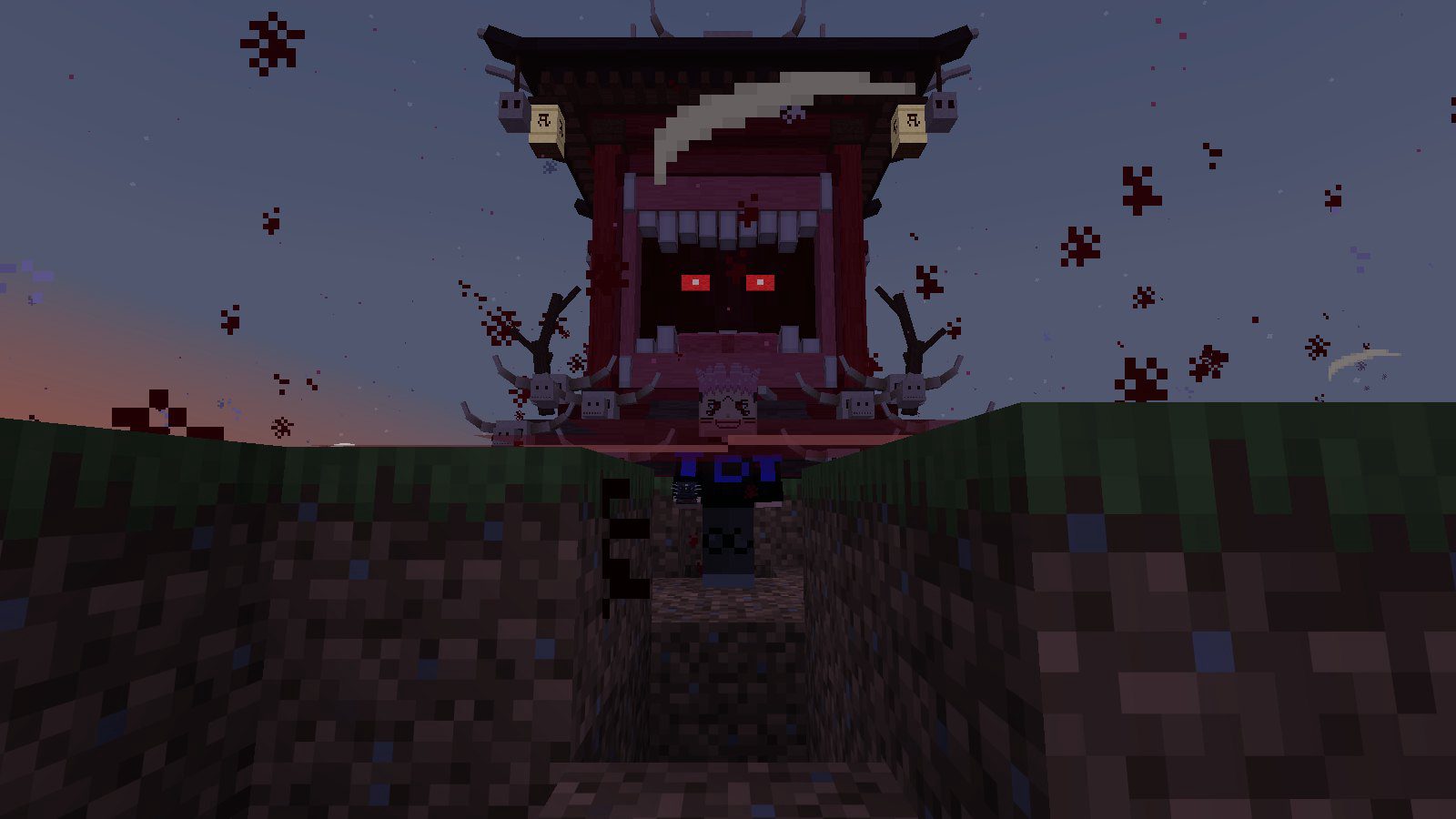
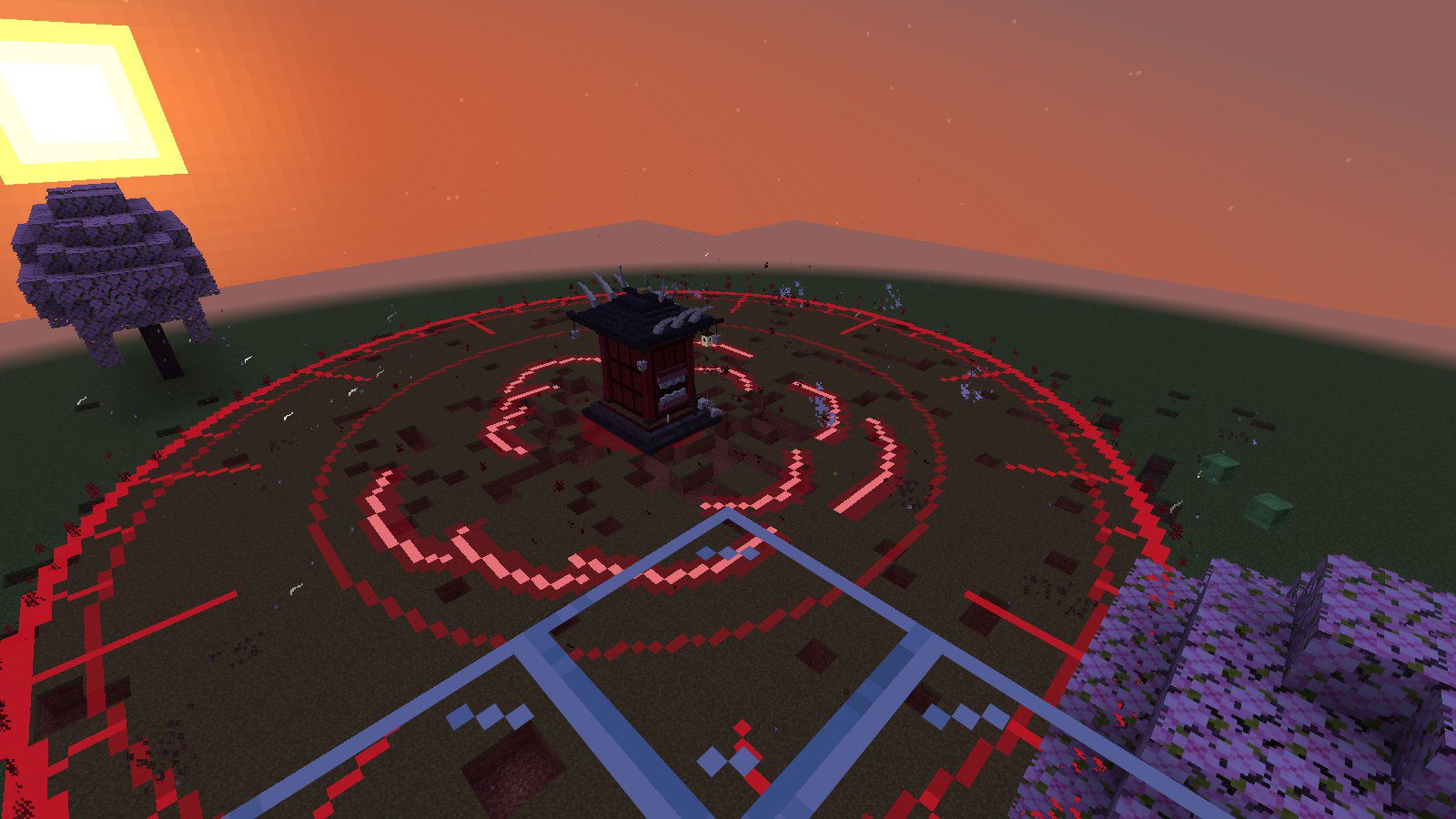
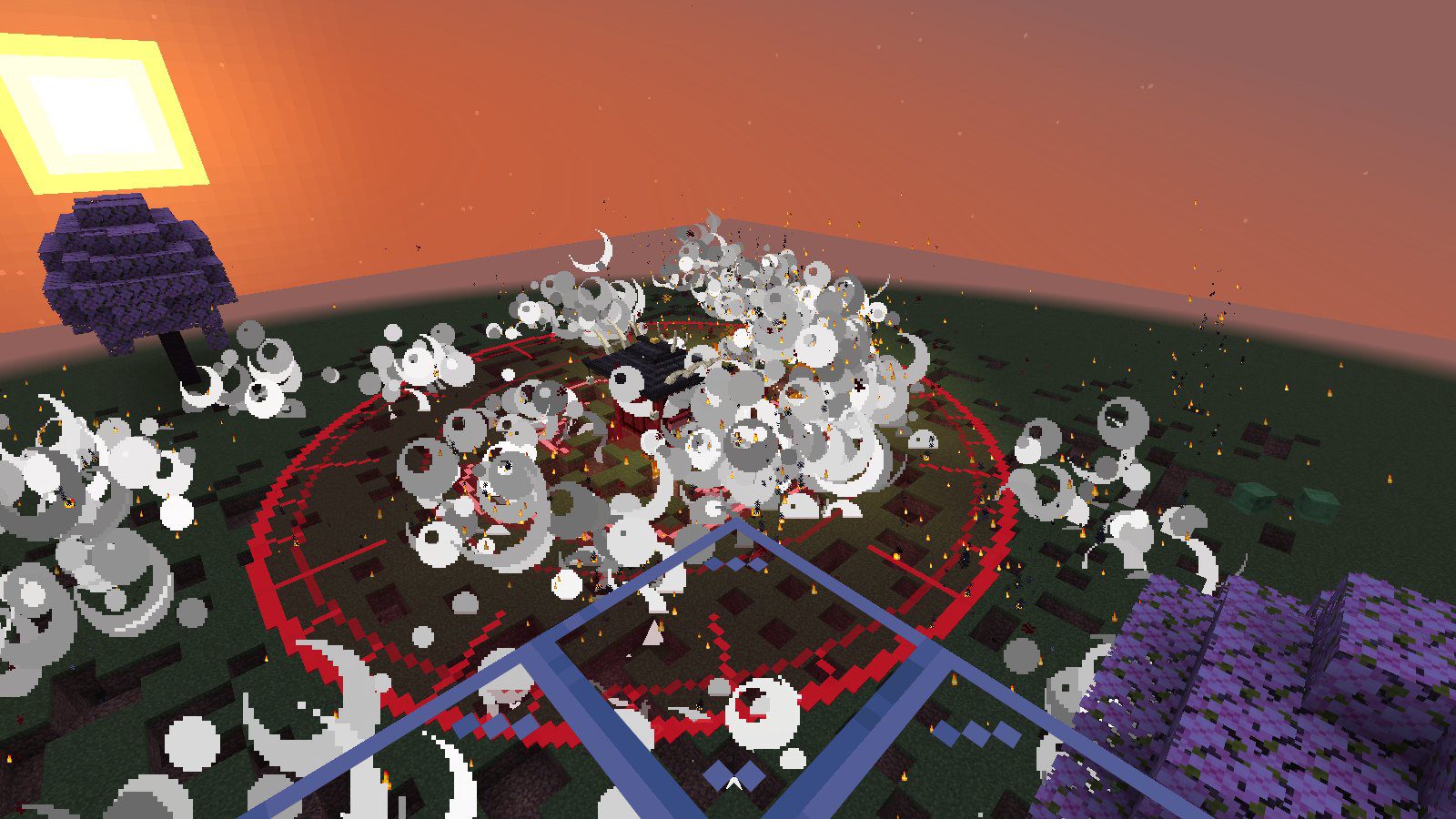
Use the Malevolent Shrine: 領域展開 Domain Expansion. The ground shakes and breaks apart as the shrine rises out of it behind you, its mark spreading over the land, and its name 伏魔御廚子 falls on everyone around. Like Sukuna's domain, it has no barrier: it simply cuts.
- Every creature within 24 blocks (at 100% output) is cut over and over, harder the tougher it is, until nothing is left standing.
- Slashes tear the land apart all over the domain, and everyone inside sees darkness and feels the ground shake.
- Your techniques all still work inside it, and Divine Flame is always lit there. Shoot Divine Flame inside your own domain and the whole domain detonates, as in the fight against Mahoraga, then closes.
- The domain costs 200 cursed energy to open and drains your energy while it stands. It closes when you use the shrine again, run out of energy, take the mask off, die or walk too far away. Then the shrine sinks back into the ground and your technique burns out: no techniques for 5 seconds.
Requirements
| Edition | Java Edition |
| Versions | 1.21.11 to 26.4 |
| Mods | None |
| Resource pack | Required for the look: without it the mask, the techniques, the effects and the shrine show as missing-texture cubes, and the pack's sounds stay silent |
| Multiplayer | Works on servers: every player who wears a mask is a Sukuna of their own, with their own cursed energy and output. The output menu needs no operator rights. |
Players without the mask play the normal game. On 26.1 and newer your arm swings when you cast; on 1.21.11 it doesn't.
Settings and removing the pack
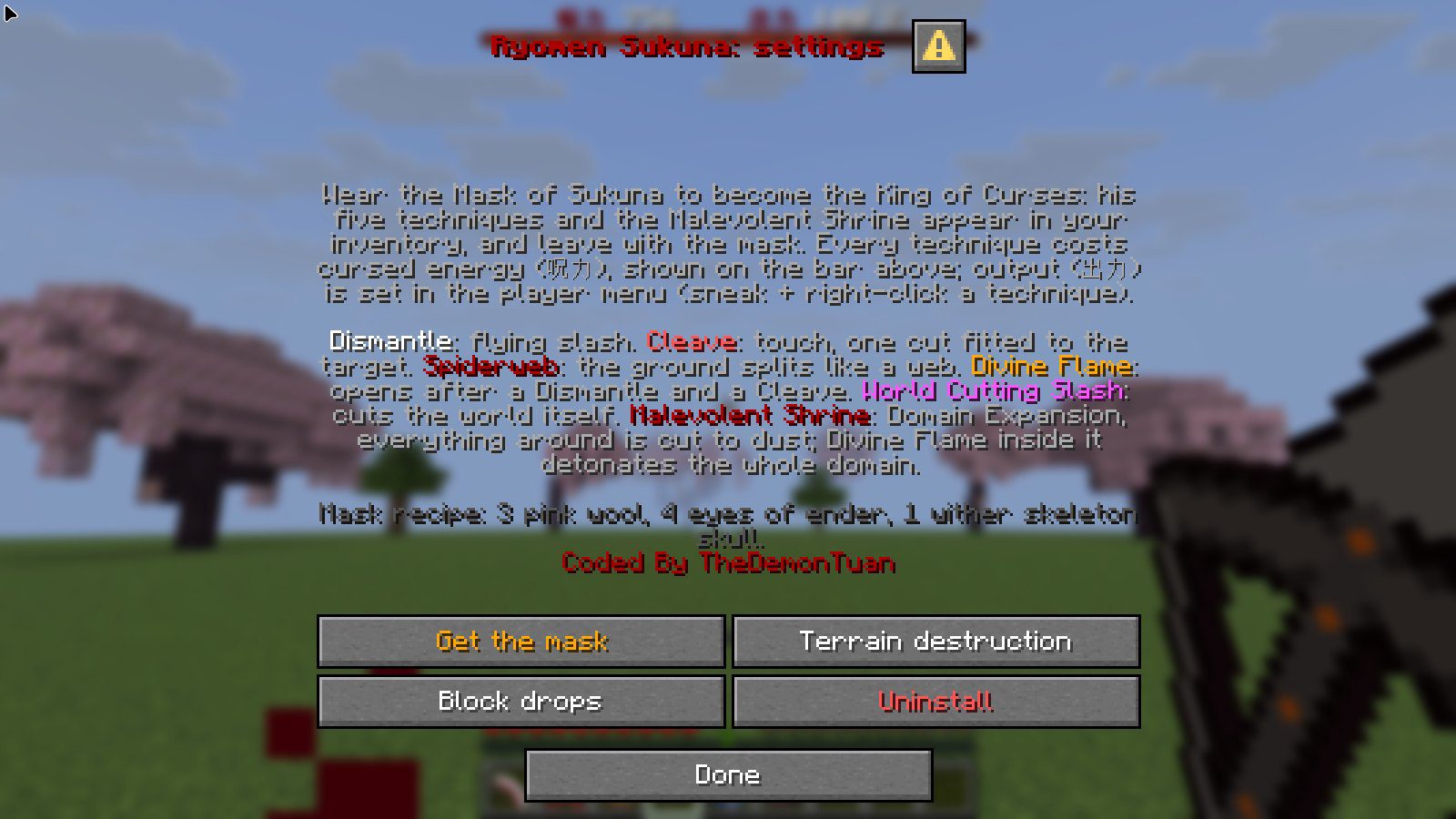
Operators find Sukuna: settings in the pause menu (Esc):
| Button | What it does |
|---|---|
| Get the mask | Gives you the Mask of Sukuna. |
| Terrain destruction | Techniques and the domain cut blocks: on (default) or off. |
| Block drops | Cut blocks drop as items, or turn to dust (default). |
| Uninstall | Removes the pack's scores, bars, effects and shrines. Then remove both packs and restart the world. |
Bedrock add-on
One .mcaddon for Bedrock 1.21.20 and newer, with a behavior pack and a resource pack. No experimental toggles.
- Open the
.mcaddon. Minecraft imports both packs. - Edit your world → Behavior Packs → activate Ryomen Sukuna: King of Curses. The resource pack is added with it.
- Craft the Mask of Sukuna with the same recipe, or with cheats on, run
/function sukuna/kit.
Same mask, techniques, cursed energy, output, chants and domain as on Java. What is different:
- Use the technique items like any item (right-click, tap or hold). Sneak and use one for the output menu, or run
/function sukuna/menu. - Your cursed energy and output show on the action bar above the hotbar.
- The domain cuts every half second, harder, because Bedrock mobs ignore hits that come faster; the camera shakes while the shrine rises and sinks.
- The effects are the add-on's own particles, and the shrine is its own 3D model.
- Settings are commands:
/function sukuna/terrain,/function sukuna/drops,/function sukuna/settings(shows both).
Tested
- Java: a scripted player with the real game client on 1.21.11 and 26.3 (78 checks each: the mask giving and taking the techniques, every technique's damage and cursed energy cost at several outputs, terrain cuts, the domain cutting creatures and land, its burnout, the Divine Flame detonation). The pack also loads without errors on 26.1.2, 26.2 and the 26.4 snapshot.
- Bedrock: Bedrock Dedicated Server 1.21.20.03 and 1.26.66.1 with a scripted test player (64 checks each, the same list). In that test the techniques are started by a script event, not by pressing the use button, and the add-on's look has not been checked in a Bedrock client yet.
FAQ
I right-click a technique and nothing happens
Look at the message above your hotbar. Wear the mask; check your cursed energy bar; after a domain your technique burns out for 5 seconds; Divine Flame needs a Dismantle and a Cleave first.
Where did my techniques go?
They belong to the mask: they leave when you take it off, and dropped ones vanish. Put the mask back on and they return. Any you lose while wearing it come back within two seconds, or use Restore the techniques in the output menu.
Divine Flame says it is unlit
Use Dismantle and Cleave first. The furnace on your screen shows which one is still missing. Inside your own domain it is always lit.
Will it wreck my base?
Chests, barrels, furnaces, signs, beds, spawners and every other block that stores something are never cut, and neither are bedrock or command blocks. The domain and 200% output cut a lot of land, so an operator can turn Terrain destruction off.
Is it heavy on my game?
At 100% output it runs comfortably. 200% output and the domain move many blocks at once; on a weak computer or a busy server, stay at 100% or turn terrain destruction off.
Do the cut blocks drop?
Not by default: they turn to dust so a fight doesn't flood the ground with items. An operator can turn Block drops on.
Ready to play?
Choose your edition, platform and Minecraft version:
First time? How to install datapacks and resource packs
Changelog
2.0Latest
Version 2, closer to the anime.
- The mask is the only item: wearing it brings all five techniques and the Malevolent Shrine, taking it off takes them away.
- Cursed energy (呪力) instead of long cooldowns, with a bar on screen; output (出力) 25%, 50%, 100% or 200% from a menu (sneak + right-click a technique), scaling the size, damage and cost of everything.
- Cleave works by touch and cuts anything down in one stroke fitted to its toughness; Divine Flame lights after you use Dismantle and Cleave and draws a bow of flame.
- The Malevolent Shrine is a real Domain Expansion: it rises behind you shaking and breaking the ground, cuts every creature and the land around it nonstop, drains your cursed energy, and detonates when you shoot Divine Flame inside it; afterwards your technique burns out.
- New effects (slashes, rift, flame bow, fireball, domain mark), new sounds, a smaller mask that fits the head.
- Bedrock add-on: the same rules, an output form and camera shake.
Something broken, or an idea for this pack?Report a bugSuggest a feature
Comments
Loading comments…

Author
TheDemonTuan
I build vanilla Minecraft datapacks, then show them off on YouTube.
Related articles


Java · Datapack, Bedrock · Add-onMC 1.21.11 – 26.4
Gojo: Infinity (Jujutsu Kaisen) – Java Datapack and Bedrock Add-on
1 view

Bedrock · Add-on, Java · DatapackMC 1.21.11 – 26.4
Mahoraga Wheel of Adaptation: Minecraft Datapack & Add-on
47 views25 downloads

Bedrock · Add-on, Java · DatapackMC 1.21.11 – 26.4
Shadow Monarch: Arise (Solo Leveling) – Java Datapack and Bedrock Add-on
6 views

Bedrock · Add-on, Java · DatapackMC 1.18 – 26.3
Saitama One Punch Man Datapack & Add-on for Minecraft
59 views61 downloads4 comments