
TDT
Language: EN

You are blocking ads

Ads keep these packs free. Articles and downloads stay open, but while your blocker is on the site shows extra alternative ads and this notice on every visit. Allow ads on thedemontuan.dev for a cleaner experience.

Back to post
Datapack

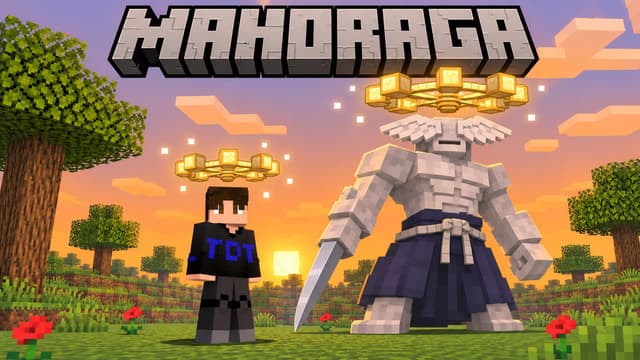
Download Mahoraga Wheel of Adaptation: Minecraft Datapack & Add-on

Step 1 of 2 · Verify you're human

Tick the box below to start your download.

Skip the wait and download at full speedSupport the creator on YouTube, it's free. Your links unlock instantly and download without the speed limit.

Subscribe

Bedrock · Add-on · 1.20.80 – 26.66 · Release Bedrock 1.0

  • Mahoraga Bedrock Add-on

    Direct DownloadBedrock · Add-onMC 1.20.80 – 26.66197 KB3 downloads

    Import the .mcaddon, activate the behavior pack (the resource pack comes with it). No experimental toggles.

    Download
Installation · Bedrock · Add-on · 1.20.80 – 26.66
  1. Download the .mcaddon or .mcpack file. On mobile, open it from your Files app.
  2. Open the file: Minecraft Bedrock starts and imports the pack by itself.
  3. Create or edit a world → Behavior Packs / Resource Packs → Activate the pack, then play.

Java · Datapack · 1.21.11 – 26.4 · Release 1.21.11-26.4

  • Mahoraga Datapack (1.21.11 – 26.4)

    Direct DownloadMC 1.21.11 – 26.4203 KB10 downloads

    Place in world/datapacks, then restart the world.

    Download
  • Mahoraga Resource Pack (1.21.11 – 26.4)

    Direct DownloadMC 1.21.11 – 26.440 KB12 downloads

    Required: the 3D wheel model.

    Download
Installation · Java · Datapack · 1.21.11 – 26.4
  1. Open your world folder: .minecraft/saves/<world-name>/datapacks (or click "Data Packs" during world creation).
  2. Copy the datapack .zip file into the datapacks folder. Do not extract it.
  3. Enter the world, run /reload then /datapack list to verify the pack is active.

Download safely

  • Official files come only from the Download buttons in the download box above.
  • You never need to click an ad, install an app or allow notifications.
  • Each link works once and expires after 10 minutes. Get new links from the box any time.
  • Broken link? Tell us on the Contact page.
Java installation guide

You May Also Like

Java · Datapack, Bedrock · Add-on

Gojo: Infinity (Jujutsu Kaisen) – Java Datapack and Bedrock Add-on

Wear Satoru Gojo's blindfold and become the strongest sorcerer of Jujutsu Kaisen: Infinity, Blue, Red, Hollow Purple, the Six Eyes and Teleportation powered by cursed energy, output from 25% to 200% with the full chants, and the Unlimited Void Domain Expansion. Java 1.21.11–26.4, Bedrock 1.21.20+.


Java · Datapack, Bedrock · Add-on

Sukuna: King of Curses (Jujutsu Kaisen) – Java Datapack and Bedrock Add-on

Wear the Mask of Sukuna and become the King of Curses from Jujutsu Kaisen: Dismantle, Cleave, Spiderweb, Divine Flame and the World Cutting Slash powered by cursed energy, output from 25% to 200%, and the Malevolent Shrine Domain Expansion that cuts everything around it. Java 1.21.11–26.4, Bedrock 1.21.20+.

Bedrock · Add-on, Java · Datapack

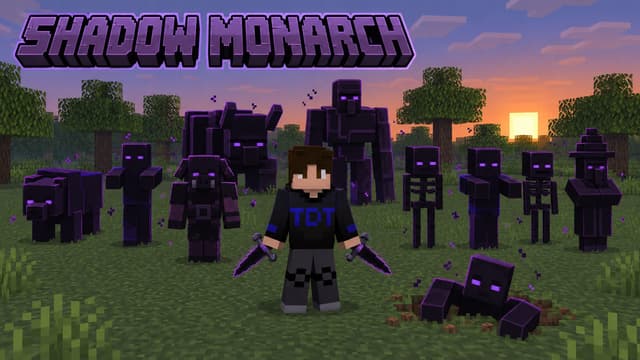
Shadow Monarch: Arise (Solo Leveling) – Java Datapack and Bedrock Add-on

Become the Shadow Monarch from Solo Leveling: every creature you kill leaves its soul, double-tap sneak to say "Arise" and it rises as your shadow soldier. Kamish's Wrath twin daggers, grades from Normal to Grand Marshal, army commands. Java 1.21.11–26.4, Bedrock 1.21.20+.