



Java · Datapack, Bedrock · Add-on
Ryomen Sukuna – Datapack Java & Add-on Bedrock
Hóa thân Sukuna từ Jujutsu Kaisen: Trảm, Bát, Hỏa Lực, Phúc Ma Ngự Trù Tử dùng chú lực, công suất 25%-200%. Java 1.21.11–26.4, Bedrock 1.21.20+.

Step 1 of 2 · Verify you're human
Tick the box below to start your download.
Skip the wait and download at full speedSupport the creator on YouTube, it's free. Your links unlock instantly and download without the speed limit.
SubscribeChoose edition, platform and Minecraft version
Bedrock · Add-on · 1.20.80 – 26.66 · Release Bedrock 1.0
Double Jump Bedrock Add-on
Direct DownloadBedrock · Add-onMC 1.20.80 – 26.6691 KB5 downloads
Import the .mcaddon and activate the behavior pack. Wall moves use look direction; no Java mod loader.
Java · Datapack · 1.21.11 – 26.4 · Release 3.0
Double Jump Datapack (1.21.11 – 26.4)
Direct DownloadMC 1.21.11 – 26.4127 KB13 downloads
Place in world/datapacks, then restart the world.
Java · Datapack · 1.18 – 1.21.10 · Release 3.0
Double Jump Datapack (1.18 – 1.21.10)
Direct DownloadMC 1.18 – 1.21.10140 KB3 downloads
Place in world/datapacks and run /reload. 1.18 – 1.21.1: wear the Double Jump elytra from the chat button.
Java · Datapack · 1.16 · Release 2.1
Double Jump V2.1 (1.16, legacy)
Direct DownloadMC 1.1615 KB2 downloads
Old elytra version.
Java · Datapack, Bedrock · Add-on
Hóa thân Sukuna từ Jujutsu Kaisen: Trảm, Bát, Hỏa Lực, Phúc Ma Ngự Trù Tử dùng chú lực, công suất 25%-200%. Java 1.21.11–26.4, Bedrock 1.21.20+.

Bedrock · Add-on, Java · Datapack
Hóa thân thành Quân vương Bóng tối: đoạt hồn quái, nhấn đúp lẻn để hô "Trỗi dậy". Song dao Kamish, lệnh quân đội. Java 1.21.11–26.4, Bedrock 1.21.20+.

Bedrock · Add-on, Java · Datapack
Đeo bánh xe Mahoraga, sống sót sau một đòn: qua 5 vòng quay, sát thương hay hiệu ứng có hại đó vô hiệu với bạn. Java 1.21.11–26.4, Bedrock 1.20.80+.
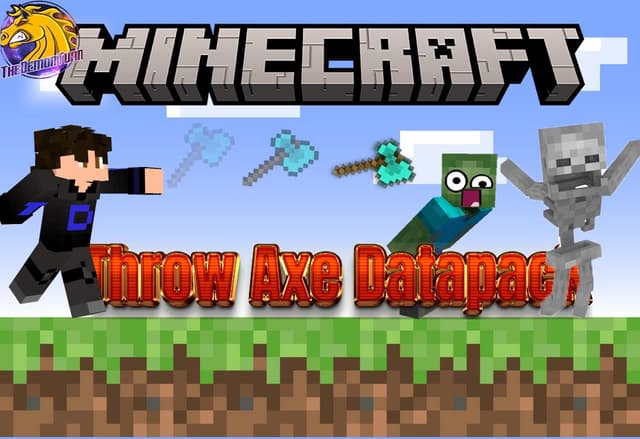
Bedrock · Add-on, Java · Datapack
Ném rìu như đinh ba: tụ lực, phóng đi, rìu cắm vào chỗ trúng và giữ nguyên bùa phép. Datapack Java 1.21.11–26.4, add-on Bedrock 1.21.0+.
Analytics preferences
Allow optional Google Analytics cookies to measure visits and improve articles? Advertising consent is separate. Privacy policy (English)


