TDT
Language: EN
Back to post

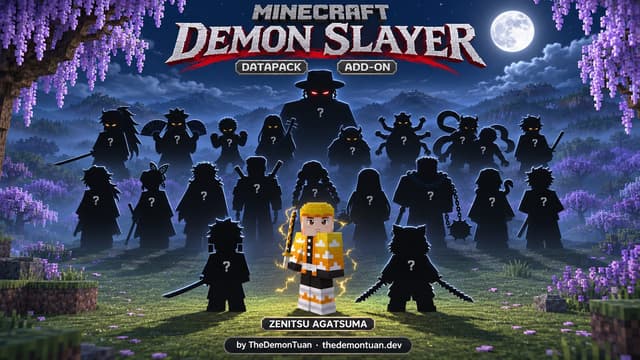
Demon Slayer: Zenitsu – Datapack Java e Add-on Bedrock

Downloads

Downloads coming soon

This project is in beta.

Choose your Minecraft edition

Files for Minecraft Java Edition (PC: Windows, macOS, Linux): .zip / .jar.

  • 1.0.0-beta.1BetaMC 1.21.11 – 26.4

    Beta preview — downloads open when this version is released.

    Datapack + Resource Pack

    2 files · both required

    MC 1.21.11 – 26.4Download both. Each .zip is ready to use, do not extract it.

    1. Datapack249 KB

    Place in world/datapacks, then run /reload.

    2. Resource Pack903 KB

    Required for the look and the voices: the hair, the haori, the katana, the skill icons and the sounds.

    Release notes

    Primeiro beta de Demon Slayer, começando com Zenitsu Agatsuma, para Java Edition (datapack + pacote de recursos, 1.21.11 – 26.4) e Bedrock Edition (add-on, 1.21.20+).

    • Cabelo e Haori de Zenitsu (fabricáveis): vista ambos e seis habilidades da Respiração do Trovão ocuparão os slots 1–6 da barra de acesso rápido.
    • Sua longa katana Nichirin: desembainhada ao empunhar, embainhada na postura de iai ao carregar, disparada com rapidez ao soltar.
    • Segure o botão direito para carregar cada habilidade pelos níveis Nív 1, 2, 3 e MÁX.
    • Lampejo do Trovão, Seis Dobras, Oito Dobras, Velocidade Divina, a Sétima Forma Deus do Trovão Flamejante e audição sobre-humana.
    • Com pouca vida ele desmaia e luta mais rápido enquanto dorme.
    • Chefe: Kaigaku, Lua Superior Seis, com relâmpagos negros, cinco formas telegrafadas, regeneração demoníaca e finalização por decapitação.
    • Vozes originais em japonês de Zenitsu e Kaigaku.
    • Interruptores para destruição de terreno, o efeito passivo de Velocidade e adormecimento automático no menu de configurações.

How to install

Datapack

  1. Open your world folder: .minecraft/saves/<world-name>/datapacks (or click "Data Packs" during world creation).
  2. Copy the datapack .zip file into the datapacks folder. Do not extract it.
  3. Enter the world, run /reload then /datapack list to verify the pack is active.

Resource Pack

  1. Open Options → Resource Packs → Open Pack Folder.
  2. Copy the resource pack .zip file into the resourcepacks folder. Do not extract it.
  3. Select the pack and click Done to apply.

Add-on

  1. Download the .mcaddon or .mcpack file. On mobile, open it from your Files app.
  2. Open the file: Minecraft Bedrock starts and imports the pack by itself.
  3. Create or edit a world → Behavior Packs / Resource Packs → Activate the pack, then play.
Java installation guide

Download safely

  • Use only the Download buttons in the box above.
  • Never click an ad, install an app or allow notifications to get a file.
  • Broken link? Tell us on the Contact page.

You May Also Like

UpdatedBetaJavaBedrock

Bedrock · Add-on, Java · Datapack

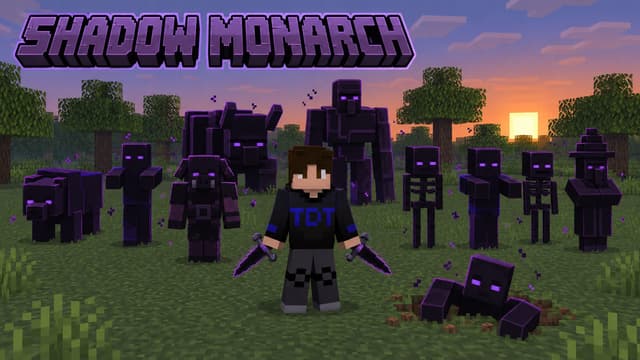
Shadow Monarch: Arise – Java Datapack e Bedrock Add-on

Seja o Monarca das Sombras de Solo Leveling: erga almas com "Ergam-se", adagas, 7 habilidades, mana e atributos. Java 1.21.11–26.4, Bedrock 1.21.20+.

Updated