TDT
Language: EN
Back to post

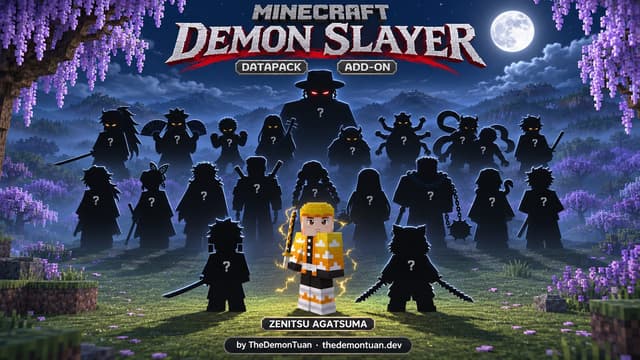
Demon Slayer: Zenitsu – Datapack Java dan Add-on Bedrock

Downloads

Downloads coming soon

This project is in beta.

Choose your Minecraft edition

Files for Minecraft Java Edition (PC: Windows, macOS, Linux): .zip / .jar.

  • 1.0.0-beta.1BetaMC 1.21.11 – 26.4

    Beta preview — downloads open when this version is released.

    Datapack + Resource Pack

    2 files · both required

    MC 1.21.11 – 26.4Download both. Each .zip is ready to use, do not extract it.

    1. Datapack249 KB

    Place in world/datapacks, then run /reload.

    2. Resource Pack903 KB

    Required for the look and the voices: the hair, the haori, the katana, the skill icons and the sounds.

    Release notes

    Beta pertama Demon Slayer, dimulai dengan Zenitsu Agatsuma, untuk Java Edition (paket data + paket sumber daya, 1.21.11 – 26.4) dan Bedrock Edition (add-on, 1.21.20+).

    • Zenitsu's Hair dan Haori (dapat dibuat): kenakan keduanya dan enam keahlian Pernapasan Petir akan terkunci di slot bilah cepat 1–6.
    • Katana Nichirin panjang miliknya: terhunus saat dipegang, dimasukkan ke sarung dalam kuda-kuda iai saat mengisi daya, melesat keluar saat dilepaskan.
    • Tahan klik kanan untuk mengisi daya setiap keahlian melalui Lv 1, 2, 3, dan MAX.
    • Thunderclap and Flash, Sixfold, Eightfold, Godspeed, Bentuk Ketujuh Flaming Thunder God, dan pendengaran manusia super.
    • Saat sekarat ia pingsan dan bertarung lebih cepat dalam tidurnya.
    • Bos: Kaigaku, Iblis Bulan Atas Enam, dengan petir hitam, lima bentuk serangan yang dapat diantisipasi, regenerasi iblis, dan penyelesaian tebasan kepala.
    • Suara asli Zenitsu dan Kaigaku dalam bahasa Jepang.
    • Sakelar untuk kehancuran medan, pasif Kecepatan, dan tidur otomatis di menu pengaturan.

How to install

Datapack

  1. Open your world folder: .minecraft/saves/<world-name>/datapacks (or click "Data Packs" during world creation).
  2. Copy the datapack .zip file into the datapacks folder. Do not extract it.
  3. Enter the world, run /reload then /datapack list to verify the pack is active.

Resource Pack

  1. Open Options → Resource Packs → Open Pack Folder.
  2. Copy the resource pack .zip file into the resourcepacks folder. Do not extract it.
  3. Select the pack and click Done to apply.

Add-on

  1. Download the .mcaddon or .mcpack file. On mobile, open it from your Files app.
  2. Open the file: Minecraft Bedrock starts and imports the pack by itself.
  3. Create or edit a world → Behavior Packs / Resource Packs → Activate the pack, then play.
Java installation guide

Download safely

  • Use only the Download buttons in the box above.
  • Never click an ad, install an app or allow notifications to get a file.
  • Broken link? Tell us on the Contact page.

You May Also Like

NewJavaBedrock

Java · Datapack, Bedrock · Add-on

Gojo: Infinity (Jujutsu Kaisen) – Java & Bedrock

Kenakan penutup mata Gojo: Infinity, Blue, Red, Hollow Purple 200% bersuara anime, Six Eyes, Unlimited Void & lainnya. Java 1.21.11–26.4, Bedrock 1.21.20+.

UpdatedBetaJavaBedrock

Bedrock · Add-on, Java · Datapack

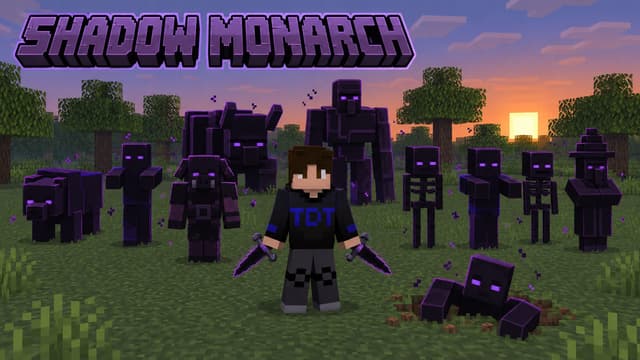
Shadow Monarch: Arise – Datapack Java & Add-on Bedrock

Jadi Shadow Monarch: jiwa musuh bangkit jadi bayanganmu. Belati Kamish, 7 skill, bilah MP, 5 stat, tanpa batas level. Java 1.21.11–26.4, Bedrock 1.21.20+.

Updated

UpdatedBetaJavaBedrock

Java · Datapack, Bedrock · Add-on

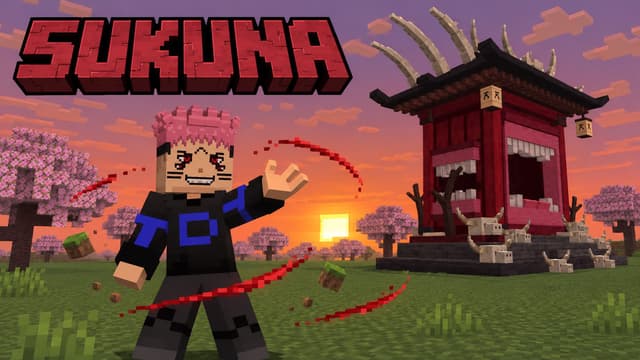
Sukuna (Jujutsu Kaisen) – Java Datapack & Bedrock Add-on

Jadilah Sukuna Jujutsu Kaisen. Isi 9 teknik s.d. 200%, kuasai Divine Flame & Malevolent Shrine dengan suara anime asli. Java 1.21.11–26.4 dan Bedrock 1.21.20+.

Updated