TDT
Language: EN
Back to post

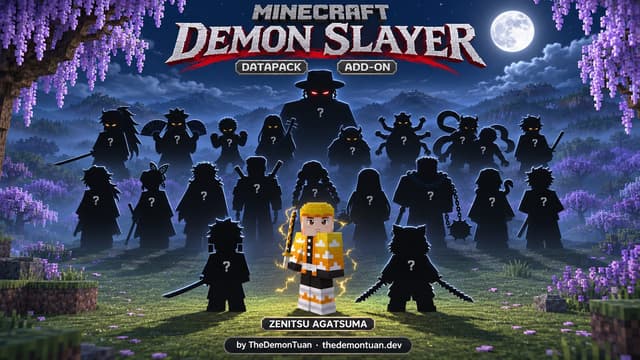
Demon Slayer: Zenitsu – Datapack Java y Add-on Bedrock

Downloads

Downloads coming soon

This project is in beta.

Choose your Minecraft edition

Files for Minecraft Java Edition (PC: Windows, macOS, Linux): .zip / .jar.

  • 1.0.0-beta.1BetaMC 1.21.11 – 26.4

    Beta preview — downloads open when this version is released.

    Datapack + Resource Pack

    2 files · both required

    MC 1.21.11 – 26.4Download both. Each .zip is ready to use, do not extract it.

    1. Datapack249 KB

    Place in world/datapacks, then run /reload.

    2. Resource Pack903 KB

    Required for the look and the voices: the hair, the haori, the katana, the skill icons and the sounds.

    Release notes

    Primera beta de Demon Slayer, comenzando con Zenitsu Agatsuma, para Java Edition (datapack + paquete de recursos, 1.21.11 – 26.4) y Bedrock Edition (add-on, 1.21.20+).

    • Pelo y haori de Zenitsu (fabricables): al equipar ambos, seis habilidades de la Respiración del Rayo ocupan las casillas 1–6 de la barra de acceso rápido.
    • Su larga katana Nichirin: se desenvaina al tomarla en la mano, se enfunda en postura de iai al cargar y sale disparada al soltar.
    • Mantén pulsado el clic derecho para cargar cada habilidad pasando por Nv. 1, 2, 3 y MÁX.
    • Destello del Relámpago, Seis Chispas, Ocho Chispas, Velocidad Divina, la Séptima postura Dios del Trueno Llameante y oído sobrehumano.
    • Con poca salud se desmaya y lucha más rápido mientras duerme.
    • Jefe: Kaigaku, Sexta Luna Superior, con rayos negros, cinco posturas terafiadas, regeneración demoníaca y ejecución final por decapitación.
    • Voces originales en japonés de Zenitsu y Kaigaku.
    • Interruptores para la destrucción del terreno, la pasiva de Velocidad y el desmayo automático en el menú de ajustes.

How to install

Datapack

  1. Open your world folder: .minecraft/saves/<world-name>/datapacks (or click "Data Packs" during world creation).
  2. Copy the datapack .zip file into the datapacks folder. Do not extract it.
  3. Enter the world, run /reload then /datapack list to verify the pack is active.

Resource Pack

  1. Open Options → Resource Packs → Open Pack Folder.
  2. Copy the resource pack .zip file into the resourcepacks folder. Do not extract it.
  3. Select the pack and click Done to apply.

Add-on

  1. Download the .mcaddon or .mcpack file. On mobile, open it from your Files app.
  2. Open the file: Minecraft Bedrock starts and imports the pack by itself.
  3. Create or edit a world → Behavior Packs / Resource Packs → Activate the pack, then play.
Java installation guide

Download safely

  • Use only the Download buttons in the box above.
  • Never click an ad, install an app or allow notifications to get a file.
  • Broken link? Tell us on the Contact page.

You May Also Like

NewJavaBedrock

Java · Datapack, Bedrock · Add-on

Realistic Survival: sed y heridas – Java y Bedrock

Tu cuerpo tiene necesidades: sed, cantimplora, baño, heridas, temperatura y más. Dificultad y realismo configurables. Java 1.21.11–26.4, Bedrock 1.21.20+.

UpdatedBetaJavaBedrock

Bedrock · Add-on, Java · Datapack

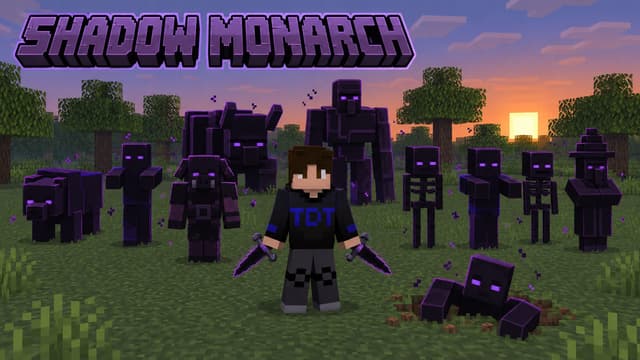
Shadow Monarch: Arise – Java Datapack y Bedrock Add-on

Sé el Monarca de las Sombras de Solo Leveling: almas, dagas de Kamish, 7 habilidades, maná y estadísticas. Java 1.21.11–26.4, Bedrock 1.21.20+.

Updated

UpdatedJavaBedrock

Java · Datapack, Java · Resource Pack, Bedrock · Add-on

Mahoraga: Rueda de adaptación – Datapack Java y Bedrock

Rueda de Mahoraga para Minecraft: Java (1.20 – 26.4) y Bedrock (1.20.80+). Equípala, sobrevive y adáptate. Tras 5 giros serás inmune a ese daño o efecto.

Updated